
Driving Licence Apply Online
Step 1: Visit Sarathi Parivahan Portal · Step 2: Select Your State · Step 3: Apply for Learner Licence · Step 4: Fill Form 2 & Upload Documents · Step 5: Pay Fee & Book LL Test Slot · Step 6: Pass LL Test · Step 7: Apply for DL After 30 Days · Step 8: Pass Driving Test & Get DL
Age requirements and what to keep ready
→ Learner's LicenceApplication, LL test & practice rules
→ Permanent DLDriving test & final application
→ Fees breakdownComplete cost for LL & DL
Who Can Apply for a Driving Licence in India
To apply for a driving licence in India, you must meet specific age and eligibility requirements based on the type of vehicle you intend to drive.
| Minimum age | Vehicle category | Additional requirements |
|---|---|---|
| 16 years | Gearless motorcycle or scooter (up to 50cc) | Written consent from a parent or guardian is required if the applicant is under 18 |
| 18 years | Geared motorcycle, car (LMV), and other non-transport vehicles | No additional requirements beyond standard documentation |
| 20 years | Commercial or transport vehicles (trucks, buses, taxis, autos) | 8th pass certificate is mandatory as proof of educational qualification. This requirement applies only to transport vehicle applications |
Documents Required
Before starting your application, ensure the following documents are ready:
- Proof of age, address, and identity: An Aadhaar card serves as valid proof for all three. Additional documents such as a 10th marksheet, birth certificate, or passport are only needed if your Aadhaar details are outdated or incorrect.
- Other accepted documents (if applicable): PAN card, passport, voter ID, utility bill, ration card, or Class 10th marksheet.
- Passport-size photograph: JPEG format, under 200KB, with a white background.
- Scanned signature: JPEG format, under 200KB, dark ink on white paper.
- Medical certificate (Form 1A): Required only for commercial/transport vehicle applications or if the applicant is above 40 years of age.
Apply for Learner's Licence (LL)
The Learner's Licence is a mandatory prerequisite for obtaining a permanent driving licence. It permits you to practice driving under supervision and remains valid for a period of 6 months from the date of issue.
- Go to sarathi.parivahan.gov.in and select your state.
- Click Learner's Licence, then Apply for New Learner's Licence.
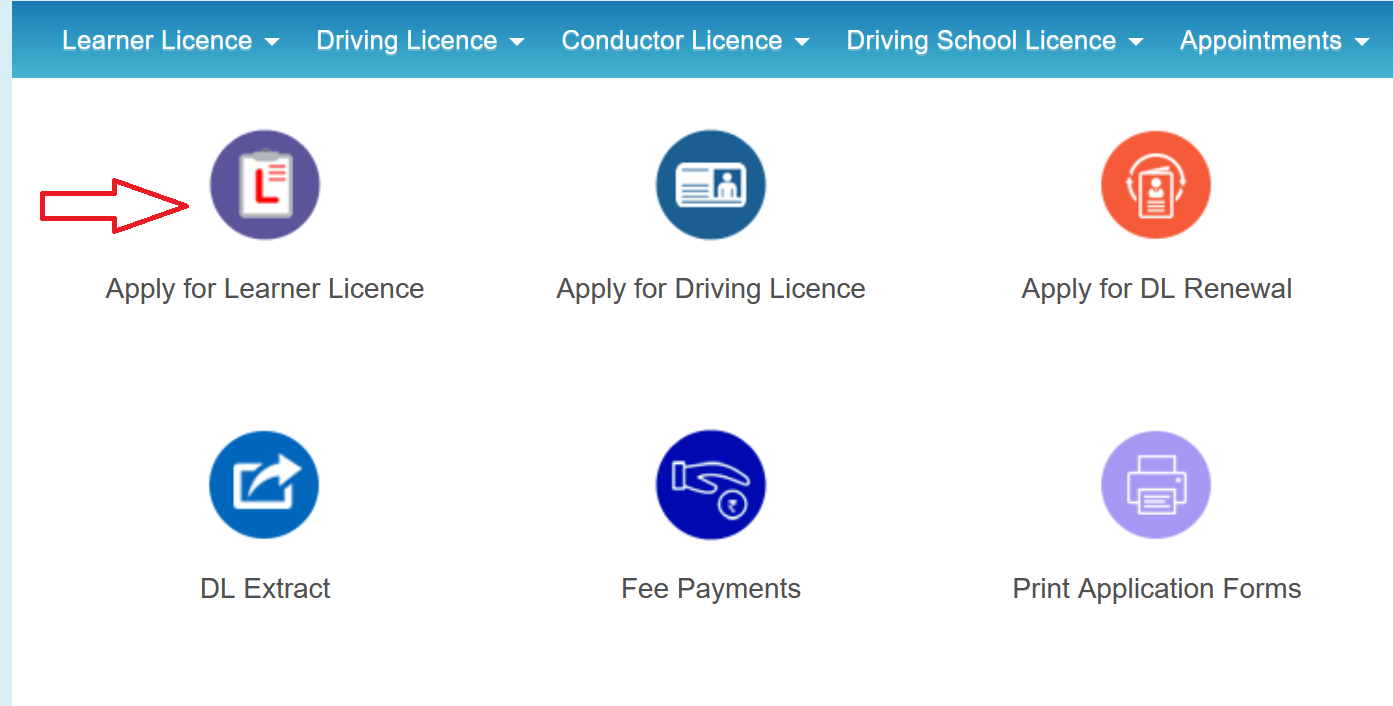
- Read the instructions and click Continue.
- Select your category (General, Divyang, etc.).
- Choose between Submit via Aadhaar Authentication or Submit without Aadhaar Authentication.
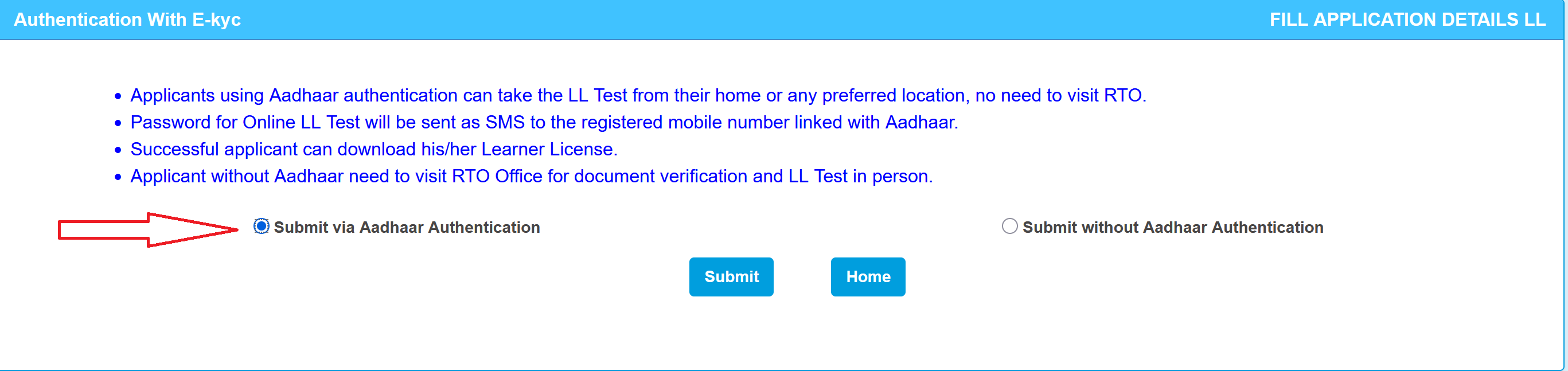
- The portal pulls your name, date of birth, address, and photo directly from UIDAI after OTP verification. You skip most of the manual form-filling. Plus, with Aadhaar authentication, you can take the LL test online from home instead of visiting the RTO.
- Select your vehicle class. If you need both motorcycle and car, select "MC With Gear" and "LMV" together. Multiple classes can be selected in a single application.
- Upload your photo, signature, and documents in the specified format.
- Book a slot for the LL test.
- Pay the fee online: ₹200 (₹150 application fee + ₹50 LL test fee).
- If taking the test at the RTO, appear on the scheduled date with your original documents and payment receipt.
The LL Test
The test is a multiple-choice assessment covering traffic signs and road rules. It is purely theoretical and does not involve any vehicle or driving.
The test consists of 15 to 20 questions (varies by state), each with four options, displayed on a computer screen. A minimum score of 60% is required to pass. The time limit is approximately 1 minute per question.
If you completed Aadhaar authentication during the application, many states allow you to take this test online from home via webcam. Without Aadhaar authentication, the test must be taken at a computer terminal at the RTO on your scheduled date.
- If you fail: You can rebook after 7 days and reattempt by paying the test fee (₹50) again. There is no limit on the number of attempts.
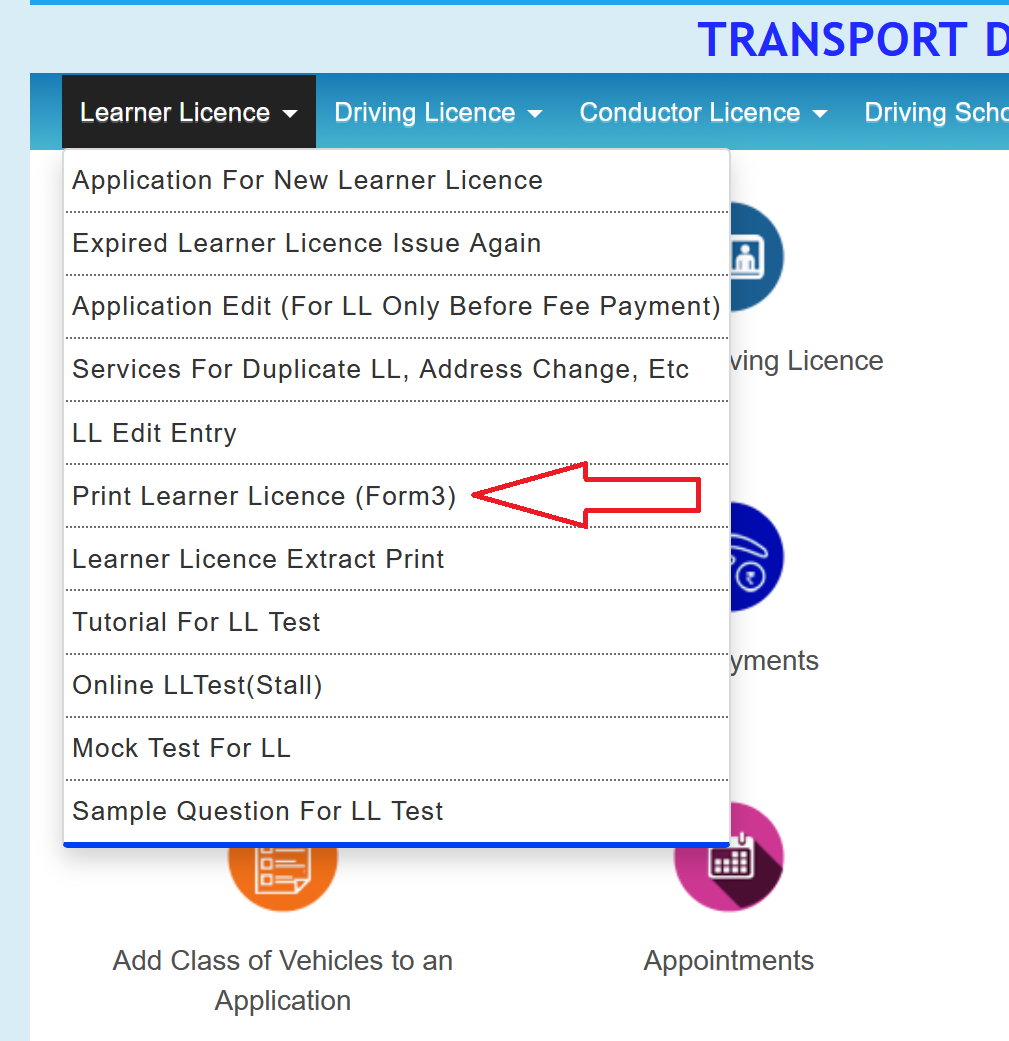
- After passing: The LL is issued on the same day. It can be printed from the portal or accessed via DigiLocker or the mParivahan app. You are now legally permitted to practice driving on public roads.
LL Validity and Rules
Your Learner's Licence is valid for 6 months from the date of issue. There is no provision for extension. If it expires before you apply for a permanent DL, you will need to complete the entire LL process again.
During this period, you are permitted to practice driving on public roads subject to the following conditions:
- Supervision is mandatory: A person holding a valid permanent driving licence must accompany you at all times. In a car, they must be seated in the front passenger seat. On a two-wheeler, they must be seated behind you. Driving or riding alone with only an LL is not permitted.
- Display the "L" sign: A red "L" plate must be displayed on both the front and rear of the vehicle to indicate that the driver is a learner.
- No additional passengers: Only the supervising licence holder is allowed in the vehicle. No other passengers are permitted.
- No highway driving: LL holders are restricted to city and local roads only.
- 30-day waiting period: You can apply for a permanent DL only after your LL has been active for at least 30 days. However, do not delay the application too long. If your test date gets pushed beyond the 6-month validity, the LL will expire and the process must be restarted.
Apply for Permanent Driving Licence (DL)
You can apply for a permanent DL once your Learner's Licence has been active for at least 30 days. However, it is advisable not to delay the application, as the LL expires after 6 months. If your test date falls beyond the validity period, you will need to restart the entire process.
- Go to sarathi.parivahan.gov.in and select your state.
- Click Apply for Driving Licence.
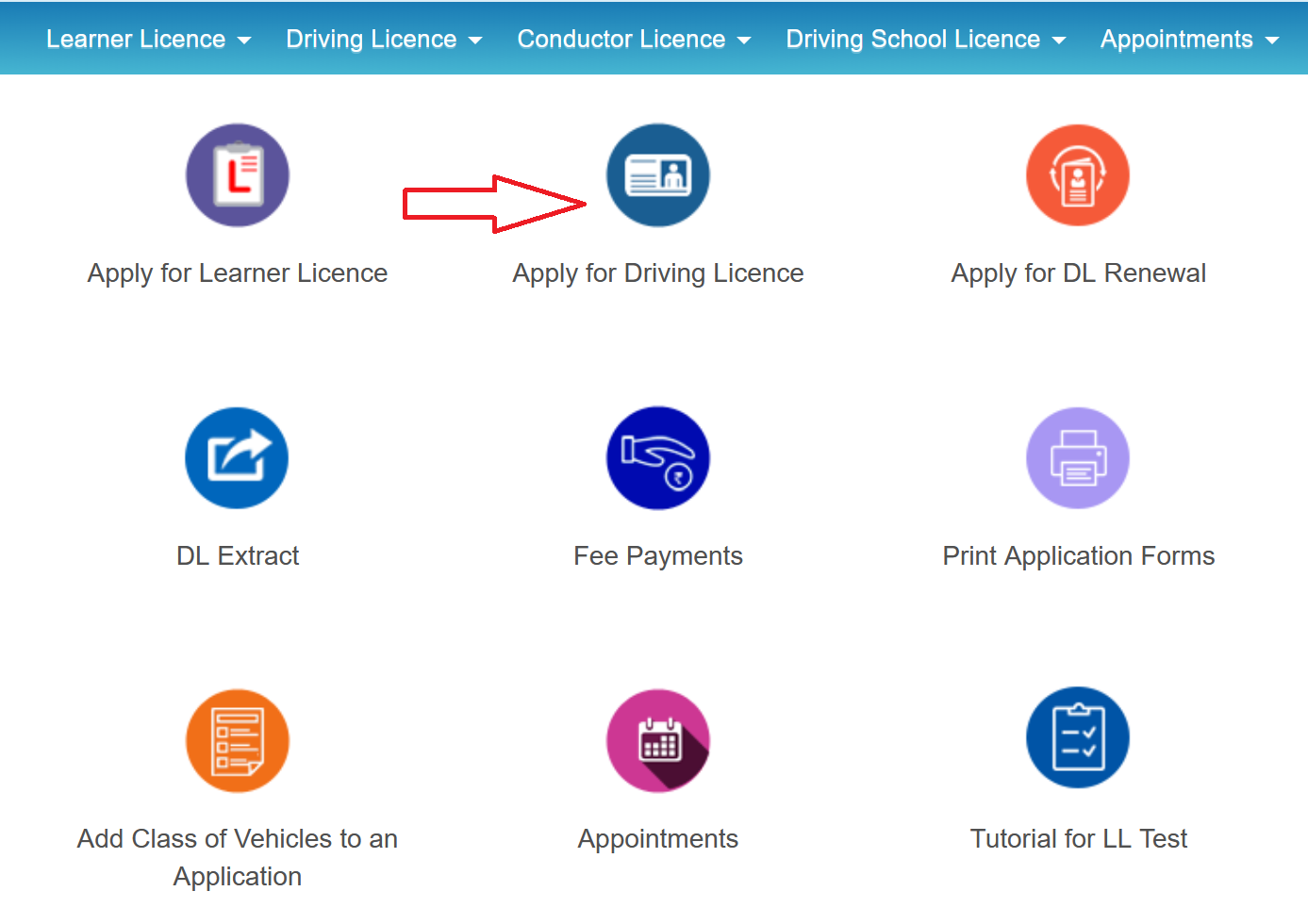
- Enter your LL number and date of birth. The portal pulls up your existing application.
- Fill out the application form (Form 4) and upload any additional documents if asked.
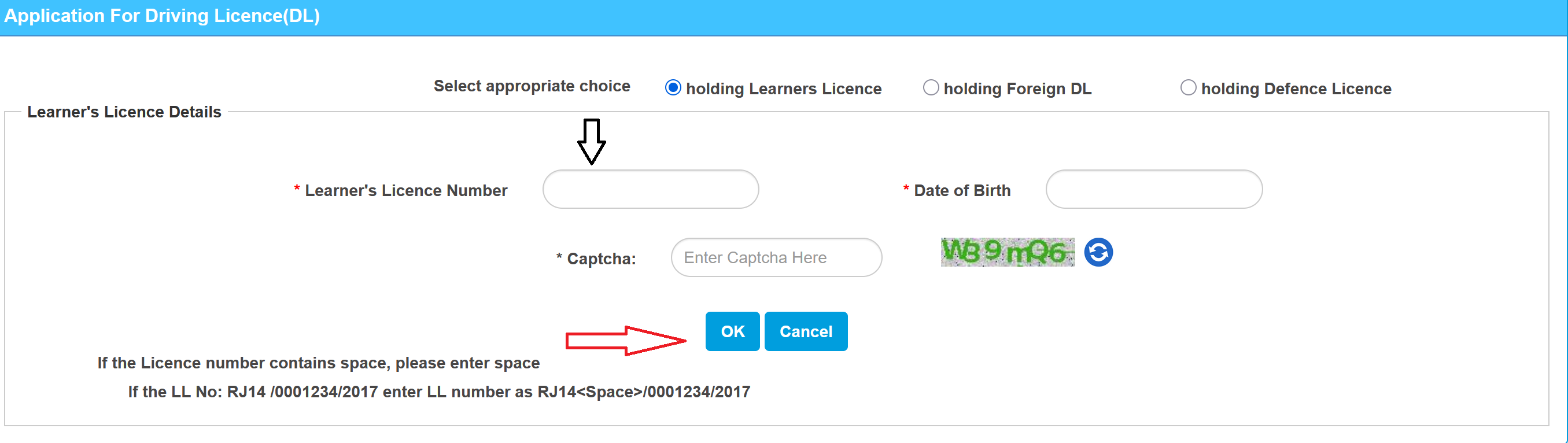
- Pay the fee online: ₹200 (DL fee) + ₹300 (driving test fee) = about ₹500 total. Varies by state.
- Book a driving test slot at your RTO.
- On the test day, go to the RTO with:
- Original Learner's Licence
- Vehicle for the test (your own or from a driving school)
- Payment receipt and application printout
- Original documents for verification
What Happens at the Driving Test
An RTO inspector evaluates you on the test track:
- For cars: Driving in an 8-figure pattern, stopping and starting on a slope without rolling back, and parallel parking. Some RTOs also test reverse driving and three-point turns.
- For two-wheelers: The 8-figure pattern and weaving between cones (slalom). Some RTOs also check slow-speed straight-line riding.
The inspector is also watching for basics like mirror checks, indicator use, and general traffic sense. It's not just about completing the course.
- Passed: Your DL gets printed as a smart card and dispatched via speed post. Takes about 2-4 weeks to arrive. Your digital DL on DigiLocker or mParivahan is valid to use in the meantime.
- Failed: You can rebook the test after 7 days. No limit on attempts as long as your LL is still valid. The ₹300 test fee applies each time.
Driving Licence Apply Fees in India 2026
| Service | Fee (approx.) |
|---|---|
| LL application fee (per vehicle class) | ₹150 |
| LL test fee (per vehicle class) | ₹50 |
| Permanent DL application fee | ₹200 |
| Driving test fee | ₹300 |
| DL issuance fee | ₹200 |
| Smart card fee (where applicable) | ₹200 |
Check Driving Licence Application Status
You can track any application (LL, DL, renewal, duplicate) on the Sarathi Parivahan portal:
- Go to sarathi.parivahan.gov.in and select your state.
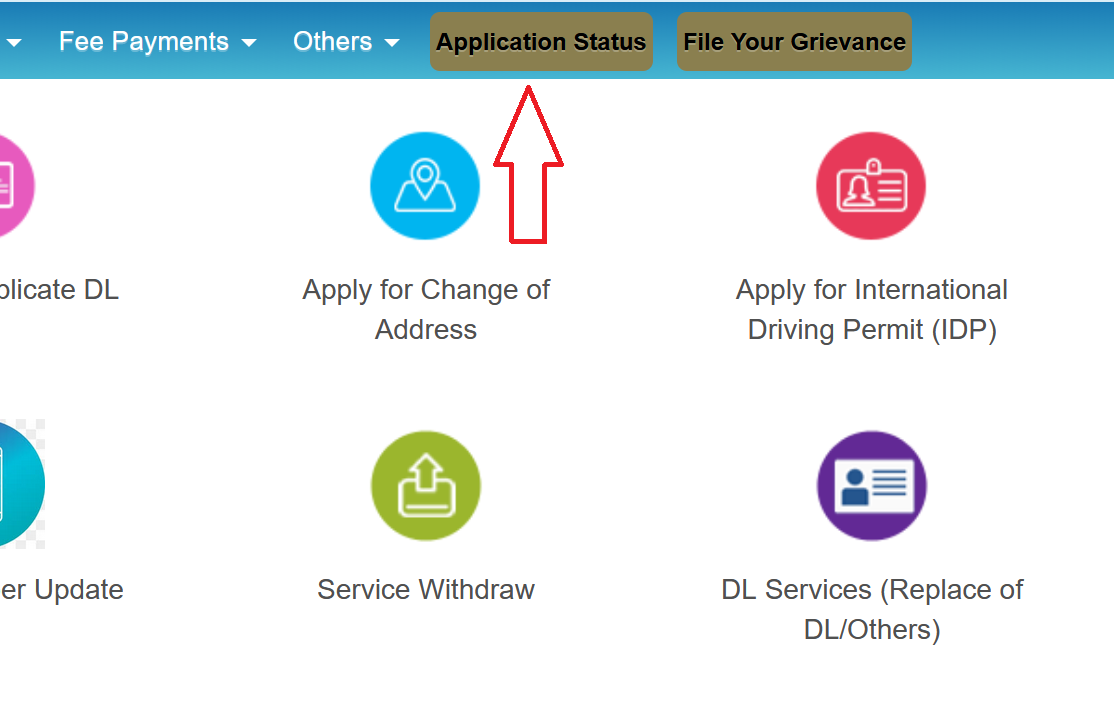
- Click Application Status.
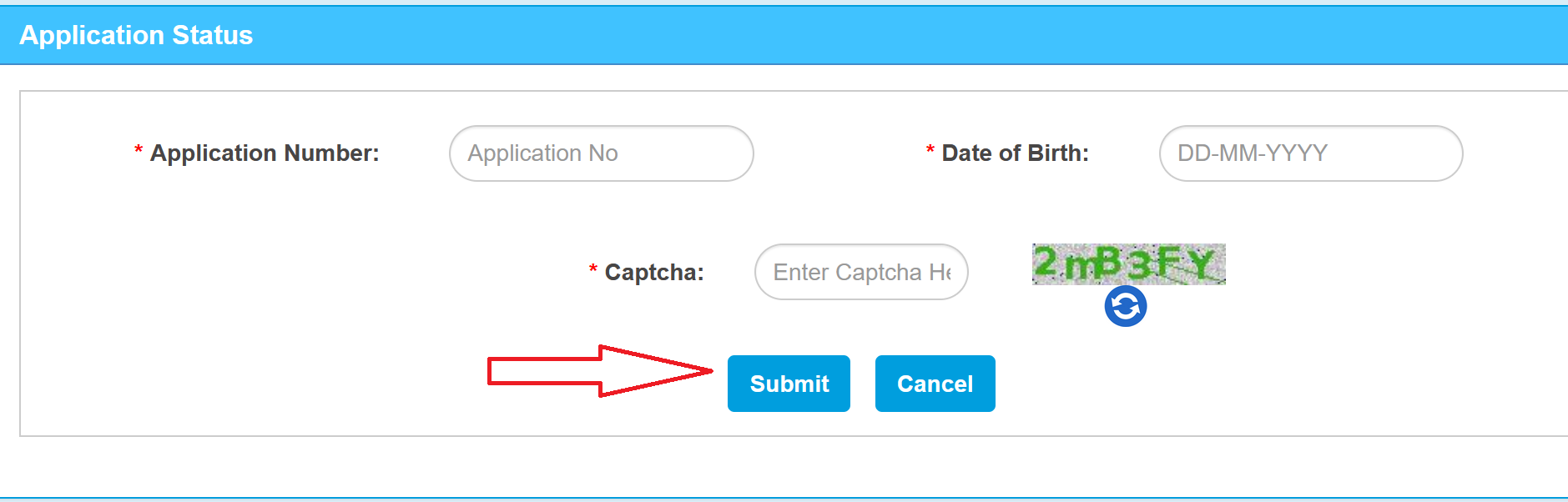
- Enter your Application Number, Date of Birth, and captcha.
- Click Submit.
Download / Print Driving Licence
You can download your driving licence (original, renewed, or duplicate) using the Sarathi Parivahan portal:
- Go to sarathi.parivahan.gov.in and select your state.
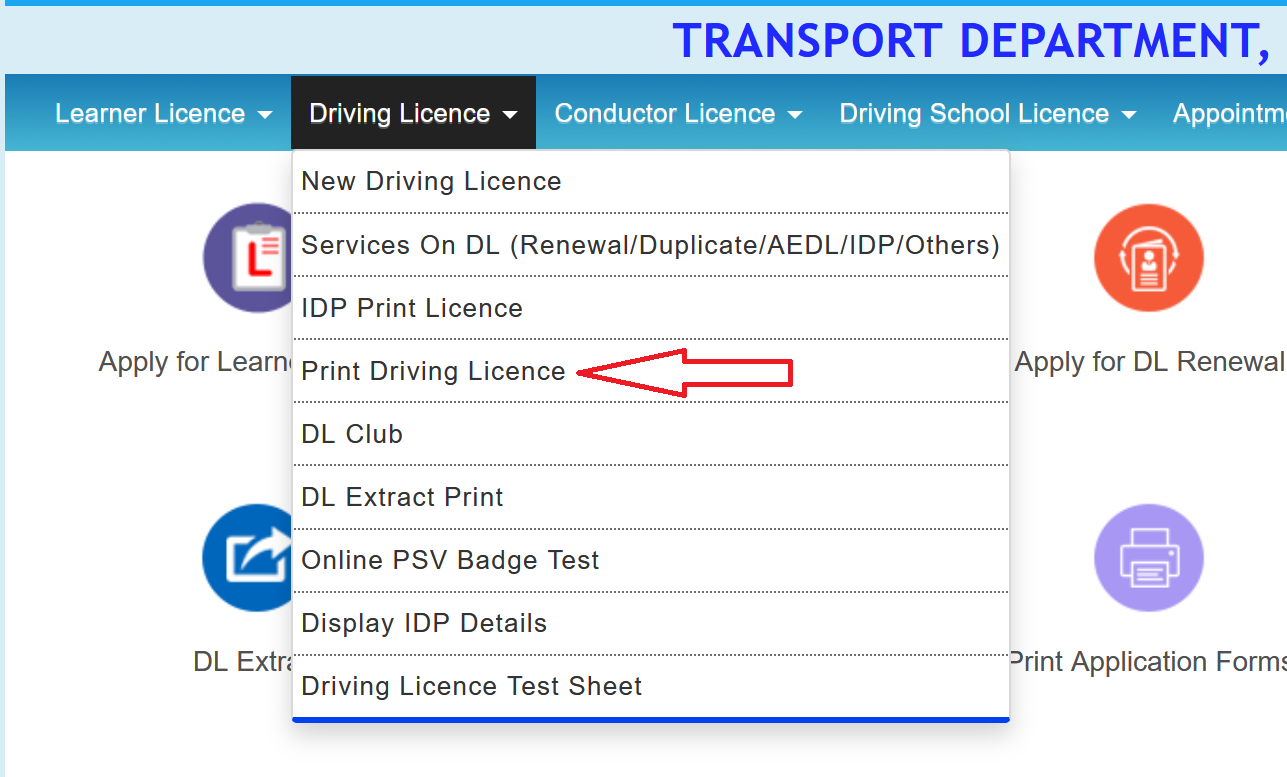
- Click Driving Licence, then Print Driving Licence.
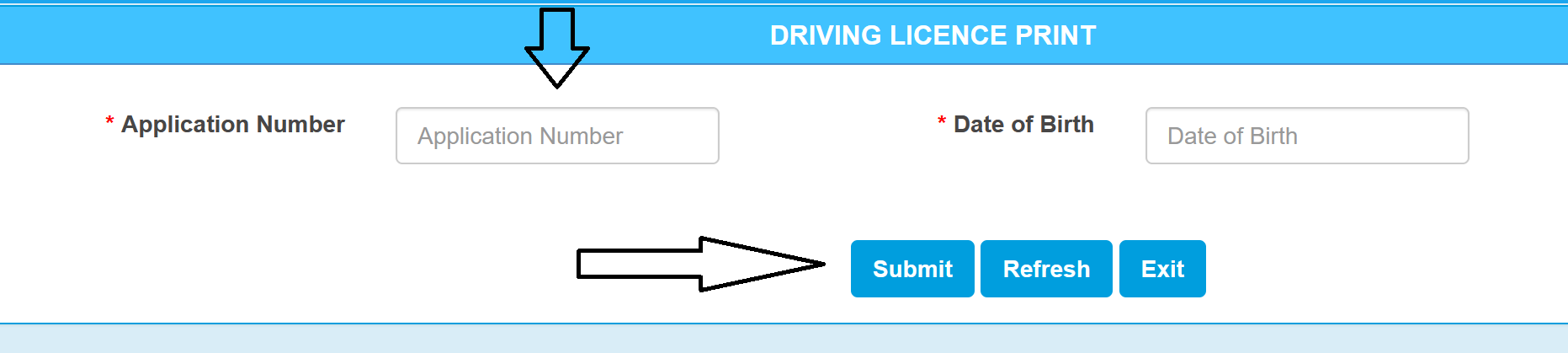
- Enter your DL Number (or Application Number) and Date of Birth.
- Click Submit. Your licence appears on screen.
- Click Print to save as PDF or take a printout.
Common Issues and How to Fix them
Sarathi portal not loading or timing out.
The portal experiences heavy traffic during weekday mornings. Try accessing it during off-peak hours (early morning or after 8 PM). Clear your browser cache and use Chrome or Edge for the best compatibility.
OTP not received on mobile.
Ensure your registered mobile number is active and has network coverage. If the OTP doesn't arrive within 2 minutes, click "Resend OTP." If the issue persists, your mobile number on the Sarathi portal may be outdated, update it at sarathi.parivahan.gov.in /sarathiservice/ mobNumUpdpub.do.
Application form not saving or throwing errors.
Do not use the browser's back button during the application process. Fill all mandatory fields before clicking "Submit." If the page freezes, do not resubmit, wait a few minutes and check under "Pending Applications" to see if your form was saved.
Document upload failing.
Ensure files are in JPEG format and under 200KB. Photos must have a white background with no shadows. Signature scans should be in dark ink on white paper. Resize images using a free tool if they exceed the size limit.
Payment successful but application shows unpaid.
This usually happens due to a bank-side delay. Wait 30 minutes and check again under "Fee Payment Status" on the Sarathi portal. If it still shows unpaid after 24 hours, contact the Sarathi helpdesk at +91-120-4925505 with your transaction reference number.
LL test slot not available.
Slots fill up quickly in metro cities. Check back daily as new slots are released periodically. Some states also release slots in weekly batches, so try at the start of the week.
Driving test failed.
You can rebook after 7 days by paying the retest fee (₹300). There is no limit on the number of attempts as long as your Learner's Licence is still valid. Focus on the areas flagged by the examiner before reattempting.
Important Notes
Save your application number.
This number is required to track your application status, make fee payments, and book test slots. Save or screenshot it after every submission. Losing it can delay your process significantly.
Driving test format varies.
Some RTOs use automated test tracks with sensors, while others conduct manual road tests. Check with your local RTO in advance so you know what to expect.
Driving test is always in person.
If you applied through Aadhaar authentication and took the LL test online, you will still need to visit the RTO for the driving test. It cannot be taken remotely.
Track your DL delivery.
Once your DL status shows "Dispatched," delivery via India Post typically takes 5 to 15 days. You can track the consignment using the speed post tracking number displayed on the Sarathi portal.