
Driving Licence Renewal 2026
Step 1: Visit Sarathi Portal · Step 2: Select Renewal Service · Step 3: Enter DL Details · Step 4: Verify & Update Details · Step 5: Select "Renewal of DL" · Step 6: Upload Documents · Step 7: Verify Mobile Number · Step 8: Pay Fee · Step 9: Get Acknowledgement Slip · Step 10: Biometric Verification
How Long Is a Driving Licence Valid?
The validity of your driving licence depends on when it was issued and how old you were at the time. The rules changed with the Motor Vehicles (Amendment) Act, 2019, so the old "20 years or until age 50" rule no longer applies universally. Here's how it works now:
For non-transport (private) vehicles:
- If issued before age 30: valid until you turn 40.
- If issued between ages 30 and 50: valid for 10 years from the date of issue.
- If issued between ages 50 and 55: valid until you turn 60.
- If issued after age 55: valid for 5 years from the date of issue.
For transport/commercial vehicles:
- Generally valid for 3 to 5 years, depending on the state. Renewal requires a mandatory medical fitness certificate (Form 1A) each time.
For senior drivers (age 60+):
- Renewal is typically required every 5 years. Recent rule updates have made medical fitness checks stricter for this age group, including assessments for vision, hearing, and cognitive ability.
- For drivers above 70, some states now issue renewals valid for only 3 years.
When Should You Apply
| Renewal Timing | What Happens |
|---|---|
| Up to 1 year before expiry | Best time to apply — no gap, no extra fee |
| Within 30 days after expiry | Validity backdated to original expiry date — no gap in record, no late fee |
| 30 days to 1 year after expiry | Validity starts from application date, not original expiry |
| More than 5 years after expiry | Treated as a fresh application — driving test required, almost like starting over |
Documents Required
Keep these ready before you start the online process:
For everyone:
- Current or expired driving licence (original + photocopy)
- Recent passport-size photograph (white background, typically JPEG, under 100KB)
- Scanned signature
- Address proof (Aadhaar card, passport, utility bill, or voter ID)
Age-specific requirements:
- Form 1 (self-declaration of fitness): Required for non-transport vehicle holders under age 40. This is a simple self-declaration — no doctor visit needed.
- Form 1A (medical fitness certificate): Required for transport/commercial vehicle holders of any age, and for all applicants aged 40 and above. This must be signed by a registered medical practitioner and typically costs ₹500-₹800 at a private clinic.
If renewing from a different state:
- No Objection Certificate (NOC) from the RTO where your licence was originally issued.
How to Renew Your Driving Licence Online
The official portal for all DL-related services is: sarathi.parivahan.gov.in. This is the Sarathi Parivahan portal, operated by the Ministry of Road Transport and Highways through the National Informatics Centre (NIC). All states offer online DL renewal through this portal.
Here is the exact process:
Step 1: Visit the Sarathi Portal
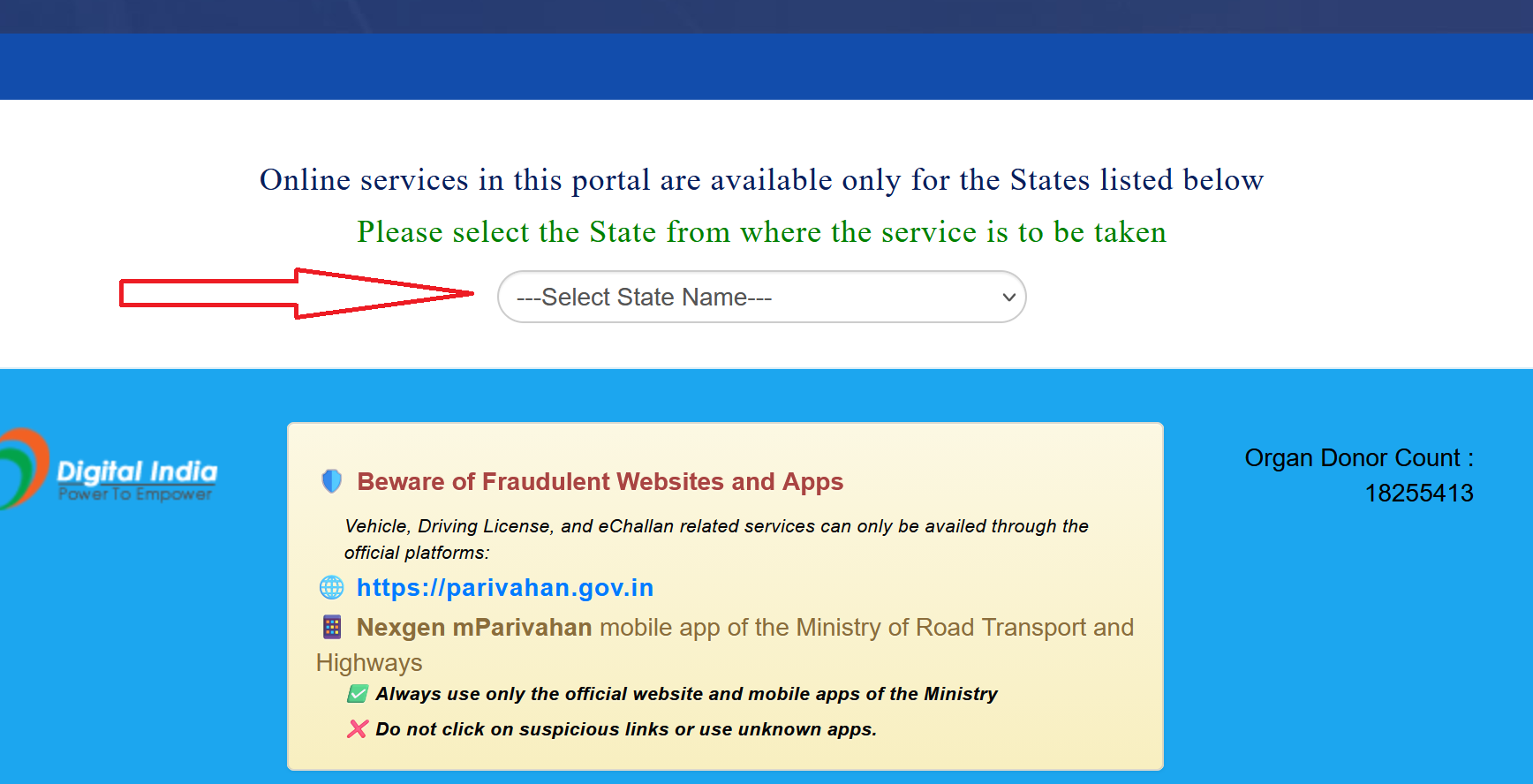
Go to sarathi.parivahan.gov.in. On the homepage, you'll see a dropdown to select your state. Choose your state or union territory and proceed.
Step 2: Select the Renewal Service
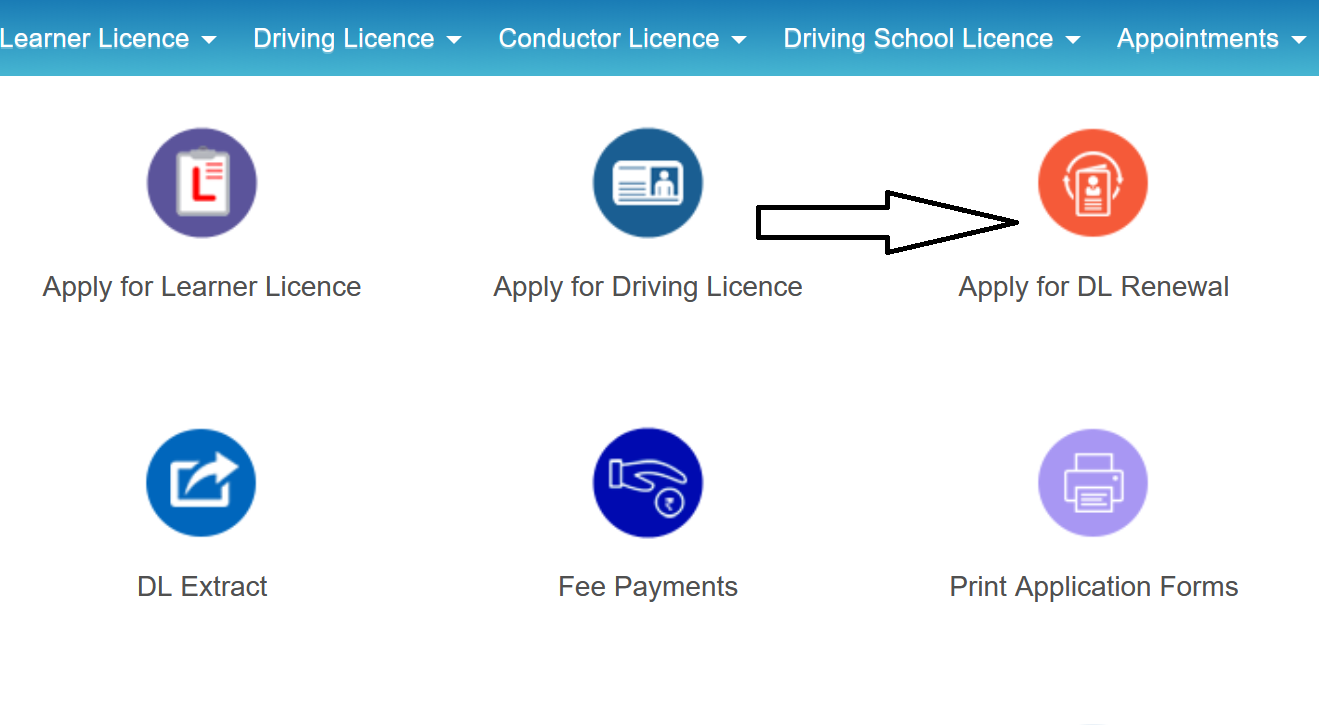
On the state page, click on "Driving Licence" in the menu, then select "Apply for DL Renewal". Read the instructions on the next page and click "Continue".
Step 3: Enter Your DL Details
Enter your Driving Licence Number and Date of Birth. Complete the captcha verification. Click "Get DL Details" . The system will fetch your existing DL record from the database.
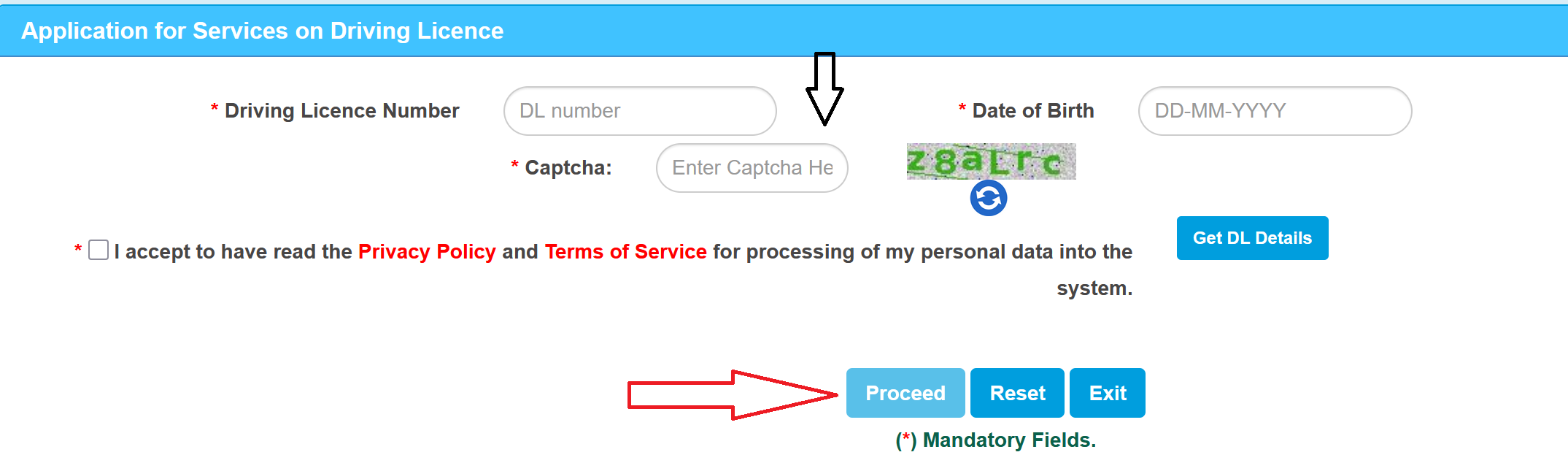
If your DL details are not found, it likely means your data hasn't been migrated to the Sarathi portal yet. In that case, you'll need to visit your RTO in person to get the data migrated first.
Step 4: Verify and Update Your Details
Your name, address, blood group, photograph, and other details will be displayed. Verify everything. If anything needs updating (like a new address), you can make corrections at this stage.
Step 5: Select "Renewal of DL"
From the list of available services, select "Renewal of Driving Licence". If you also want to make other changes (address change, adding a vehicle class), you can club them together in the same application.
Step 6: Upload Documents
Upload scanned copies of the required documents: address proof, age proof, photograph, signature, and Form 1A (if you're 40 or older or hold a commercial licence). Make sure each file is within the size limit (usually under 500 KB, in JPEG or PDF format as specified).
Step 7: Verify Your Mobile Number
You'll receive an OTP on your registered mobile number. Enter it to verify. This mobile number will be used for all future SMS updates about your application.
Step 8: Pay the Renewal Fee
Pay the fee online through UPI, debit/credit card, or net banking. The fee amount will be displayed based on your state, licence type, and whether you're within the grace period or paying late. After payment, download and save the payment receipt.
Step 9: Get the Acknowledgement Slip
After successful payment, an acknowledgement slip with a reference number is generated. Download and save this. You'll need it to track your application status and as interim proof of renewal.
Step 10: Biometric Verification (if required)
Some states and RTOs still require a physical visit for biometric verification (fingerprint and photograph capture). If this applies to your state, the portal will prompt you to book an appointment slot at your nearest RTO. Visit on the scheduled date with your original documents.
Step 11: Track Your Application
Go to sarathi.parivahan.gov.in, click on "Application Status", enter your application number and date of birth, and check the status. Statuses include "Under Processing", "Approved", "Dispatched", or sometimes "Document Verification Pending".
You'll also receive SMS updates on your registered mobile number at each stage: application received, under verification, approved, and dispatched.
Step 12: Receive Your Renewed DL
Once approved, your renewed driving licence is printed and dispatched to your registered address via Speed Post. This typically takes 7 to 30 days depending on the state and RTO workload. You can track the delivery using the Speed Post tracking number provided in your application status.
How to Renew Your Driving Licence Offline (At the RTO)
If you prefer the in-person route or if the online process isn't working for your state/RTO, here's the offline process:
- Visit your local Regional Transport Office (RTO). Ideally, go to the RTO that issued your original licence. If you've moved to a different state, you'll need an NOC from your original RTO.
- Collect or download Form 9 (application for renewal). Fill it out completely.
- Submit Form 9 along with photocopies of all required documents: existing DL, address proof, age proof, photographs, Form 1 (self-declaration) or Form 1A (medical certificate if 40+).
- Pay the renewal fee at the RTO counter via cash, demand draft, or digital payment (some RTOs accept UPI now).
- If required, your biometric data (photograph and fingerprints) will be captured at the RTO.
- If your licence has been expired for more than one year, you may be asked to schedule a driving test. Appear for the test on the scheduled date.
- Collect the receipt/acknowledgement. Your renewed DL will be dispatched to your address via Speed Post, or you can collect it from the RTO after processing (typically 15 to 30 days).
Renewal Fees
| Fee Component | Amount |
|---|---|
| DL Renewal (on time) | ₹200 |
| Smart Card Fee | ₹200 |
| Late Fee (after 30-day grace) | ₹300 |
| Delay Penalty (per year after grace) | ₹1,000/year |
| Address Change (if applicable) | ₹200 |
| Medical Certificate (Form 1A) | ₹500–₹800 (private clinic) |
How to Track Your Renewal Status
After submitting your application, you can track the status in a few ways:
- Online: Go to sarathi.parivahan.gov.in. Select your state. Click on "Application Status" under the Driving Licence section. Enter your application number and date of birth. The system shows the current status: Under Processing, Document Verification Pending, Approved, Dispatched, or Rejected.
- SMS: You'll receive automated SMS updates on your registered mobile number at each stage. These may include Speed Post tracking numbers once the DL is dispatched.
- mParivahan App: Download the mParivahan app (available on Google Play) to check your DL status and carry a digital copy of your licence.
If there's no update after 3–4 weeks, especially post-approval, contact or visit your RTO. Delays usually happen due to missing documents, incorrect address, or pending verification.
Medical Certificate (Form 1A): Who Needs It and How to Get It
- Who needs Form 1A: Anyone aged 40 or above applying for DL renewal. Anyone renewing a commercial/transport vehicle licence, regardless of age. Anyone who has declared a specific medical condition that could affect driving ability.
- Who doesn't need Form 1A: Applicants under 40 renewing a private (non-transport) vehicle licence. For these applicants, Form 1 (self-declaration of physical fitness) is sufficient. You simply fill it out yourself, declaring that you are fit to drive.
How to get Form 1A
Download Form 1A from the Parivahan portal (parivahan.gov.in) or collect it from your RTO. Visit a registered medical practitioner (any MBBS doctor registered with the Medical Council of India).
The Driving Test: When Is It Required During Renewal?
Normally, you do not need to take a driving test when renewing your licence. A straightforward renewal within the allowed window requires no test.
However, a driving test becomes mandatory in these situations:
- Expired for more than 1 year: Under the 2019 amendment to Section 15(4) of the Motor Vehicles Act, if your licence has been expired for more than one year, the licensing authority will refuse to renew it unless you undergo and pass a test of competence to drive. This was confirmed by the Kerala High Court in a 2024 ruling.
- Age 50 and above: Some states may require a driving test for applicants over 50, especially if combined with a medical condition. This isn't universal, but be prepared for the possibility.
- Medical conditions: If the medical examination under Form 1A reveals conditions that could affect driving ability, the RTO may require a driving test as an additional check.
- Commercial vehicle renewal: For heavy motor vehicle licences, a refresher training certificate is usually required in addition to the medical certificate. Some states may also mandate a practical test.
Special Situations
Renewing in a different state from where DL was issued:
You can renew at any RTO in India, but you may need a No Objection Certificate (NOC) from the original issuing RTO. The process is the same: apply through the Sarathi portal, select the new state/RTO, and upload the NOC along with other documents. The new RTO will intimate the old one about the renewal.
NRIs renewing Indian DL from abroad:
You can start the process online through the Sarathi portal. However, if biometric verification or a driving test is required, you'll need to be physically present in India to complete those steps. The renewed DL will be mailed to your Indian address. Plan your India visit accordingly.
Lost or damaged DL and renewal together:
If your DL is lost or damaged and also due for renewal, you can club both requests in a single application. Select both "Duplicate DL" and "Renewal" when choosing services on the Sarathi portal. You'll need to provide an FIR or lost declaration for the duplicate request.
Adding a new vehicle class during renewal:
If you want to add a new vehicle category (for example, adding LMV to an existing two-wheeler licence) at the time of renewal, you can do so. However, adding a new class requires a valid learner's licence for that category and a driving test. You cannot add a class through the renewal application alone.
Address change during renewal:
You can update your address at the time of renewal through the same application. Select "Change of Address" along with "Renewal" in the services. Upload the new address proof document.
Common Problems and How to Fix Them
"DL details not found" on the portal:
Your DL data may not have been migrated from the RTO's local records to the Sarathi portal. Visit your RTO with the original licence and request data migration.
OTP not received:
Check that your mobile number is correctly updated in the system. If it's an old number, you may need to visit the RTO to update it first. You can also update your mobile number on the Sarathi or Vahan portal.
Document upload failing:
Common causes are file size too large (keep under 500 KB), wrong format (use JPEG or PDF as specified), unclear scan, or document mismatch with your details.
Payment failed but amount debited:
Check the payment status on the Sarathi portal using your transaction ID or bank reference number. If the amount was debited but not reflected, wait 24 to 48 hours for auto-reconciliation. If it still doesn't reflect, contact the Vahan/Sarathi helpdesk.
Application stuck in "Under Processing" for weeks:
If there's no movement after 3 to 4 weeks, visit or call the RTO. Delays usually happen because of missing documents, pending police verification, or incorrect information in the application.