
Vehicle Owner Details
Step 1: Go to vahan.parivahan.gov.in/nrservices · Step 2: Click on "Know Your Vehicle Details" in the top menu · Step 3: Log in or Create a New Account · Step 4: Enter Your Vehicle Registration Number and Captcha Code · Step 5: Click "Vahan Search" · Step 6: View Your Vehicle Details
Check Vehicle Details
This is probably one of the most used features on the entire Parivahan portal — and for good reason. Whether you're planning to buy a second-hand car and want to verify what the seller is telling you, or you simply want to check your own vehicle's registration and insurance status, this section has you covered.
There are a few ways to look up any vehicle's details using just its registration number.
Method 1: Vahan Portal
- Go to vahan.parivahan.gov.in/nrservices.
- Click on Know Your Vehicle Details in the top menu.
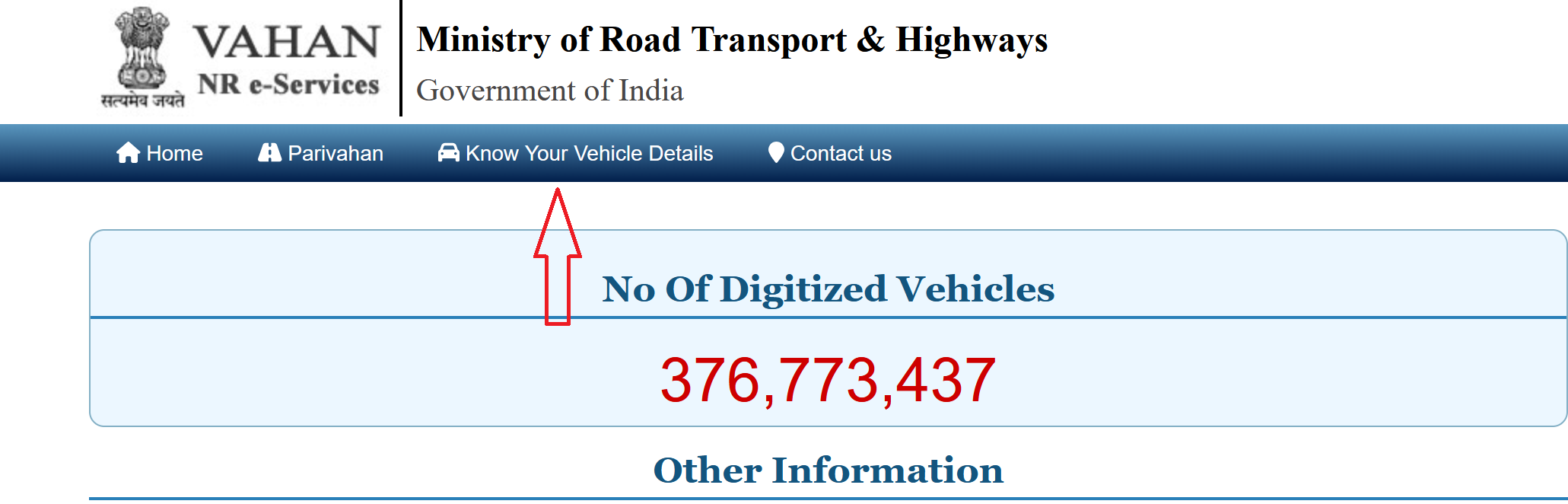
- You'll need to log in. If you don't have an account, click Create Account, enter your mobile number and email, verify with OTP, set a password, and you're done. This is a one-time thing.
- After logging in, enter the Vehicle Registration Number and the captcha code.
- Click Vahan Search.
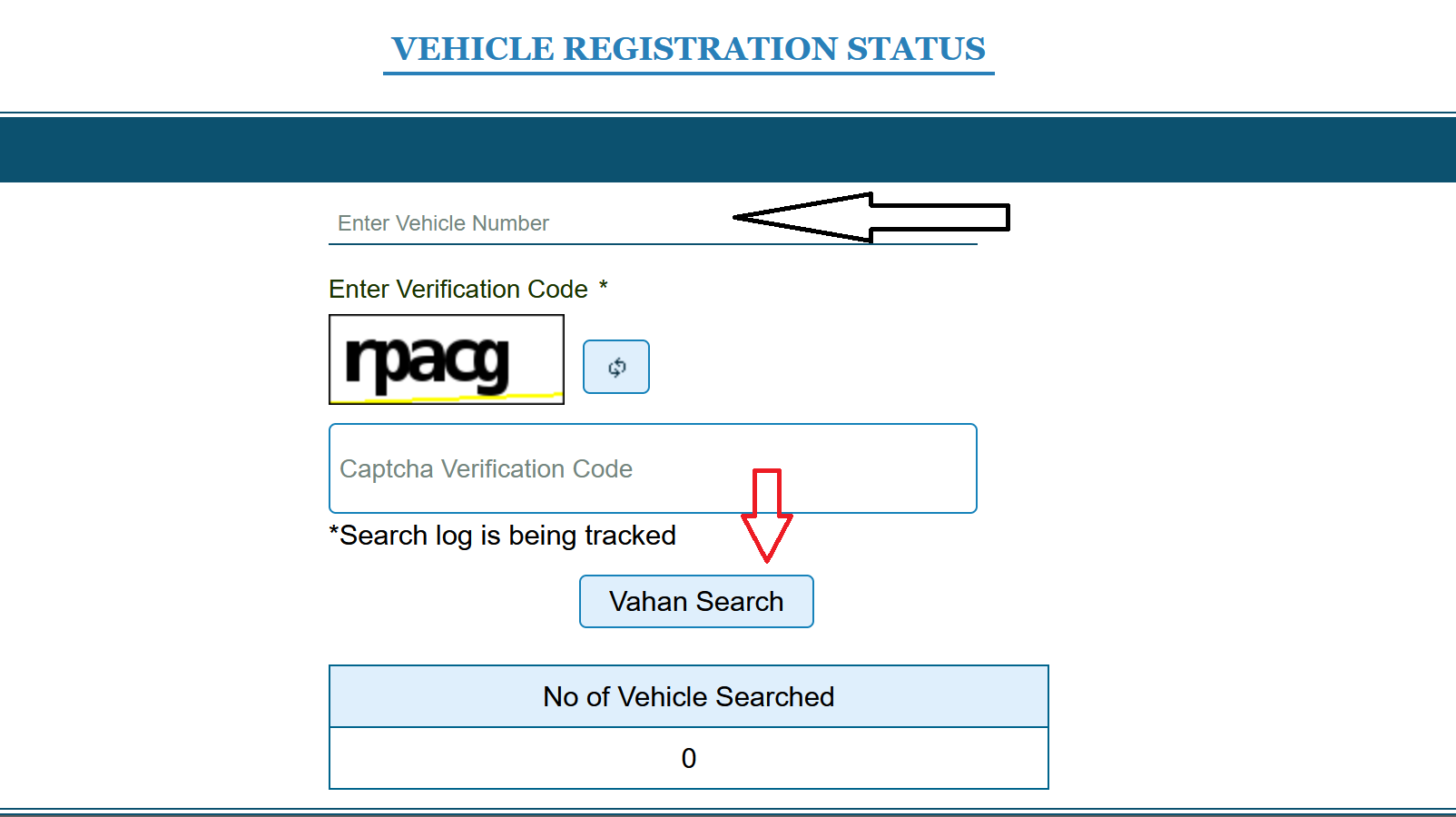
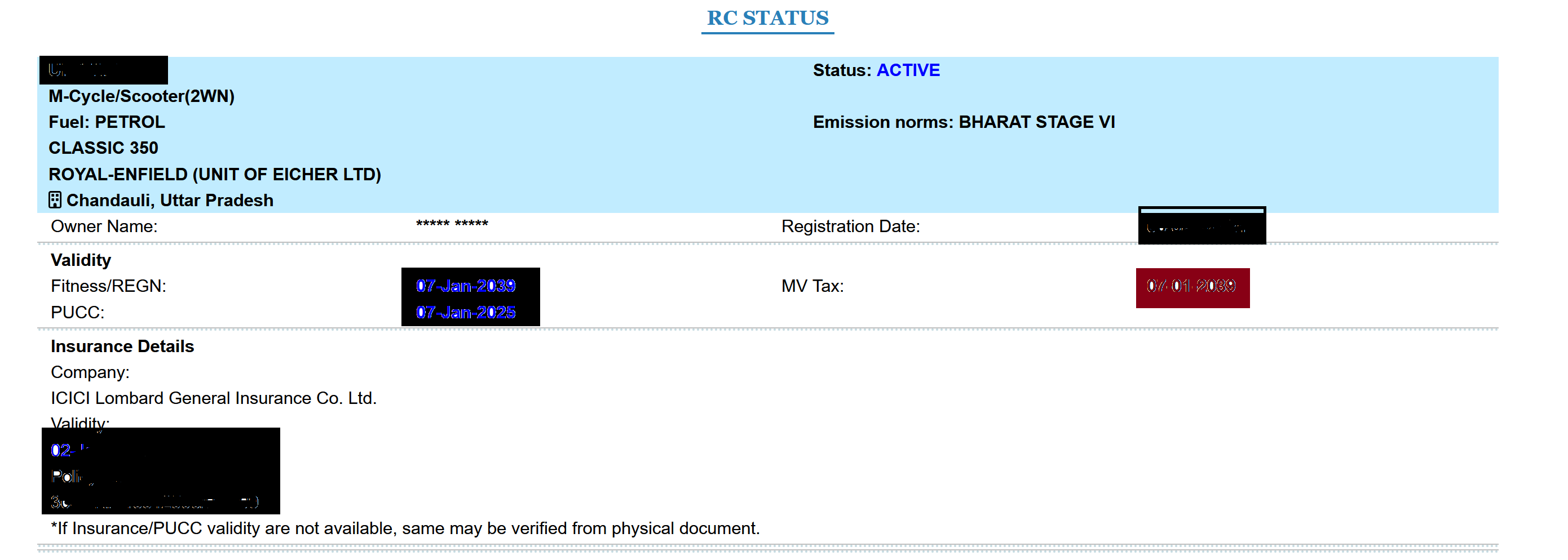
What the Portal Shows You:
- Owner's name (partially masked for privacy)
- Registration date and registering RTO
- Vehicle make, model, and class (two-wheeler, LMV, etc.)
- Fuel type (petrol, diesel, CNG, electric)
- Insurance validity (active or expired, and the insurer name)
- Fitness certificate status (mainly relevant for commercial vehicles)
- Hypothecation details (whether the vehicle is under a loan, and which bank/NBFC holds it)
- PUC (Pollution Under Control) certificate status
Method 2: mParivahan App
- Download the mParivahan app from Play Store (Android) or App Store (iPhone).
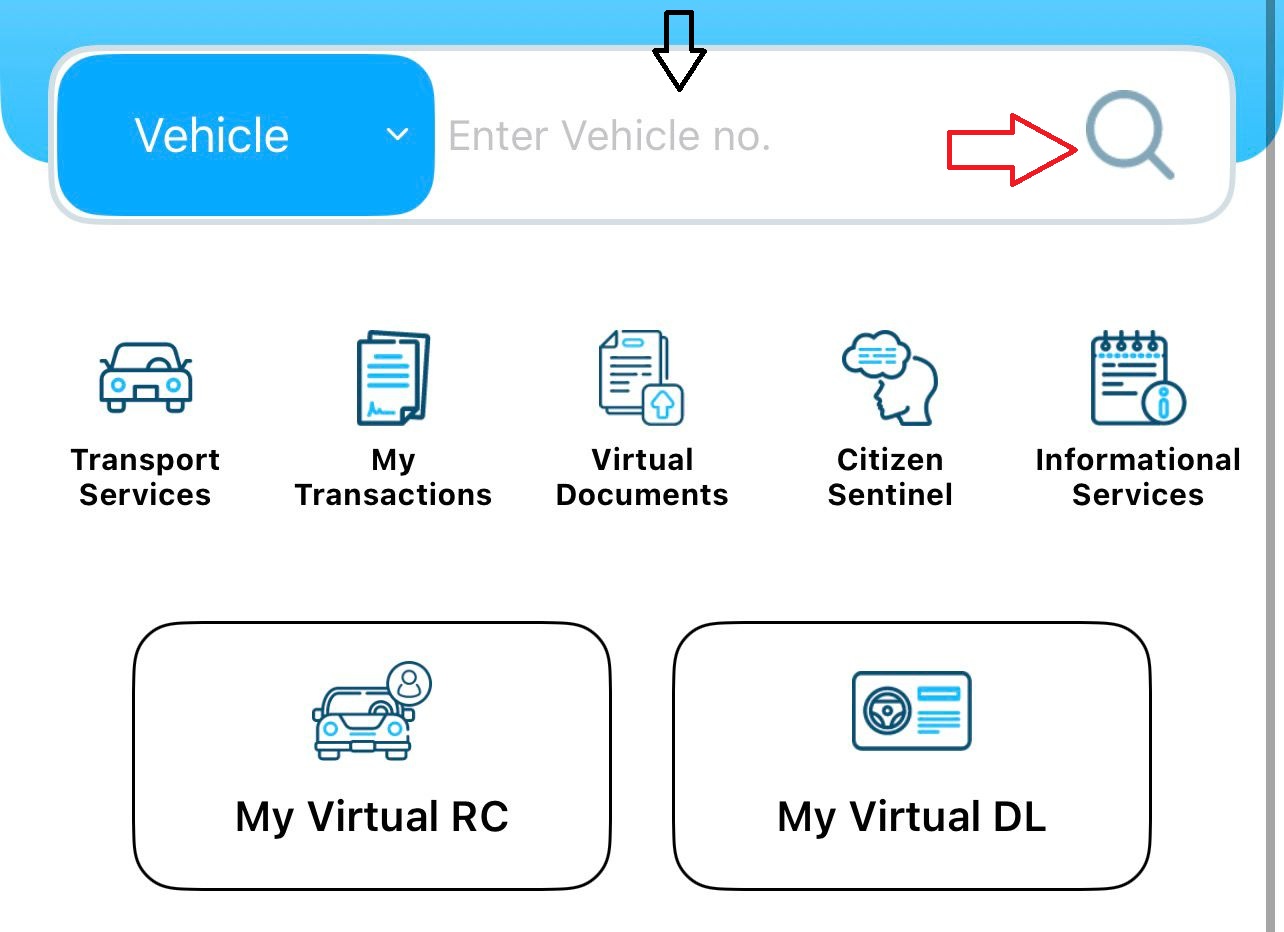
- Open the app, register using your mobile number, verify it with the OTP, and set a 6-digit mPIN. This mPIN works like a quick password for future logins so you don't have to go through OTP every time.
- Once you're in, tap Vehicle Services, enter the vehicle's registration number, and hit the search icon. The vehicle details will show up within seconds.
What to Actually Look For (If You're Buying a Used Vehicle)
Most people check vehicle details either out of curiosity or because they're about to spend money on a used car or bike. If you're in the second category, here's what to focus on:
| What to Check | What It Tells You | Red Flag to Watch Out For |
|---|---|---|
| Registration Number Format | First two letters = state code (DL, MH, UP, etc.), followed by RTO code, then unique number | Seller claims one state but the number says another |
| Owner's Name | Should match the person selling the vehicle | Mismatch means ownership was never transferred — extra paperwork and cost for you |
| Insurance Validity | Tells you if the vehicle is currently insured | Expired insurance = you'll need a fresh policy; factor this into price negotiation |
| Hypothecation Status | Shows if a bank or NBFC has a claim on the vehicle | Active hypothecation = loan not cleared; you cannot transfer ownership without the bank's NOC |
| Fitness Certificate (Commercial Vehicles Only) | Confirms the vehicle is roadworthy as per RTO standards | Lapsed certificate requires a physical RTO inspection to renew |
| RC Validity | Private vehicle RCs are valid for 15 years from registration date | Expired RC = vehicle is not road-legal until renewed |
Download / Print Your RC via Vahan Portal
Your RC, officially called Form 23 (or Form 23A for the smart card version), is the document that proves your vehicle is legally registered. You need it whenever you're driving, and traffic police can ask for it at any time.
If you've lost your physical RC smart card, or it's sitting in some drawer at home and you just need a digital copy right now, there are a few ways to get it.
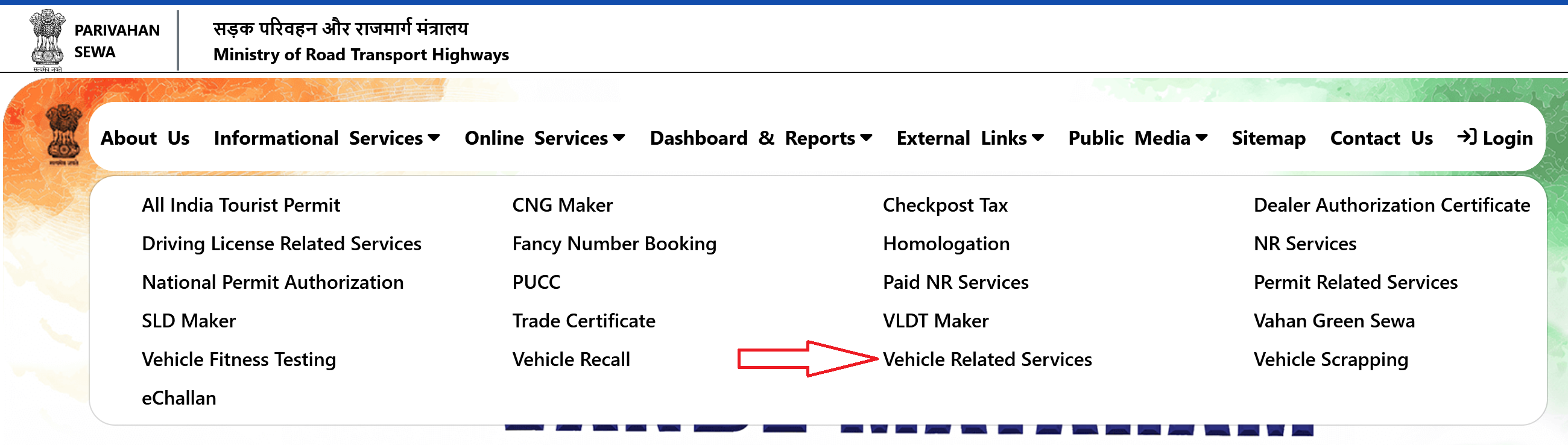
- Go to parivahan.gov.in and click Online Services, then Vehicle Related Services.
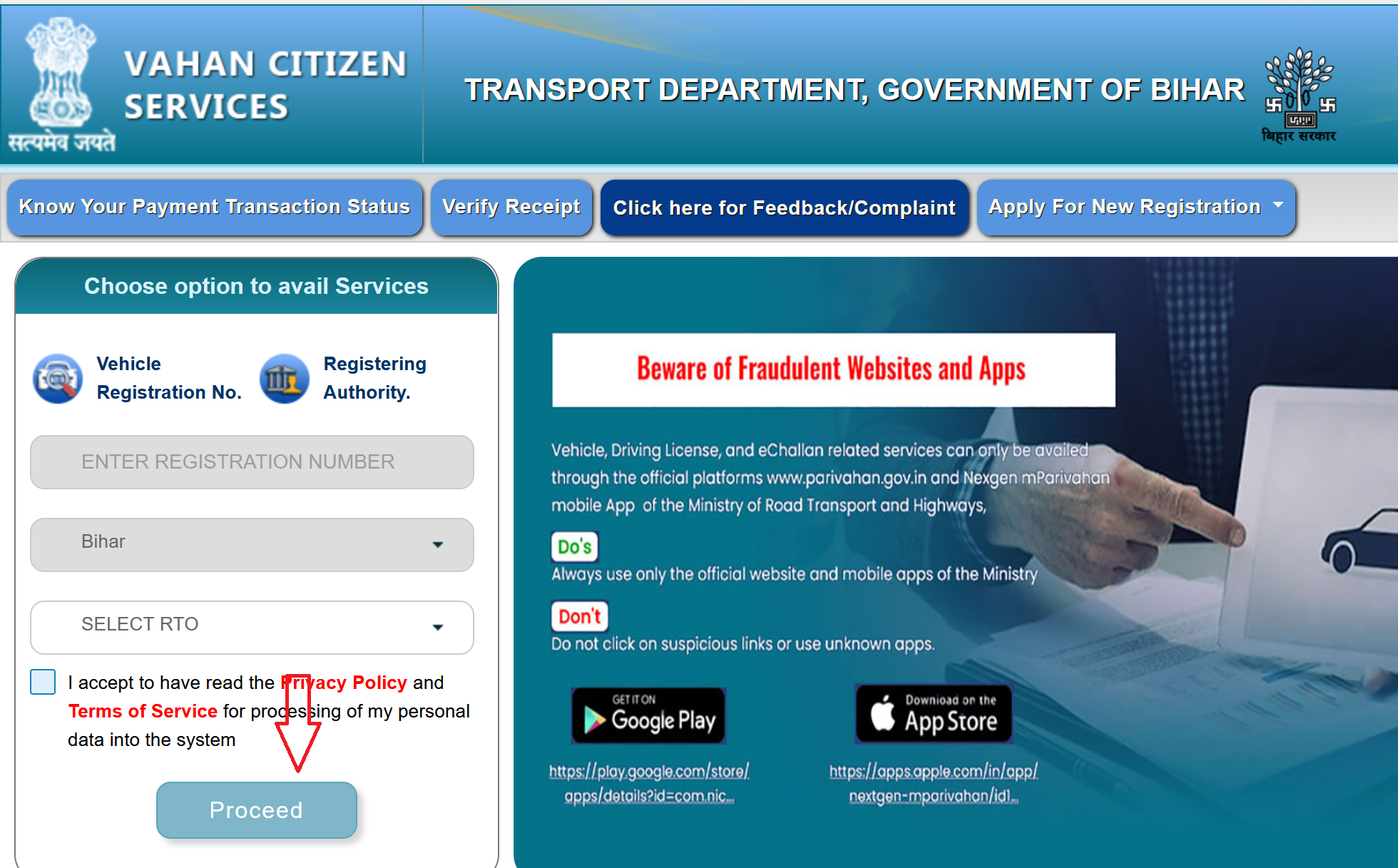
- Pick your state from the dropdown.
- Log in with your account. If you don't have one yet, register with your mobile number. Takes a minute.
- Enter your Vehicle Registration Number, select your RTO, and click Proceed.
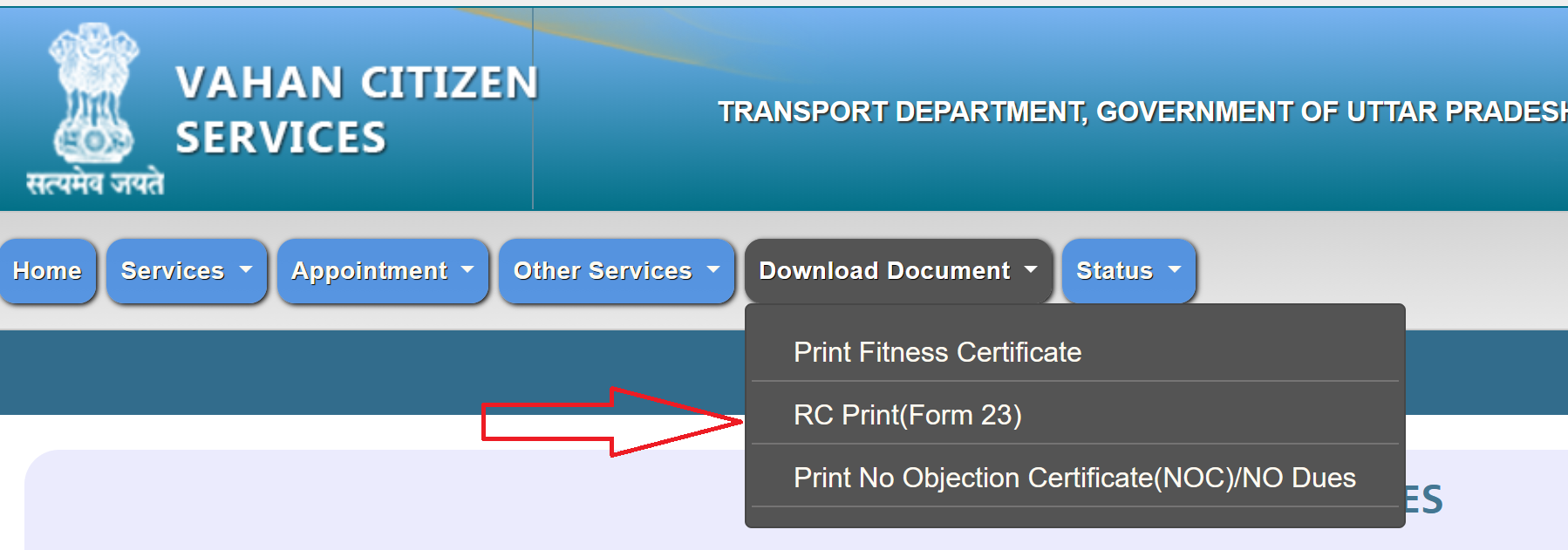
- On the vehicle dashboard, look for Download Document in the top menu bar.
- Select RC Print (Form 23).
- Enter your registration number, chassis number, and engine number for verification. If you don't know these off the top of your head, check your insurance papers or look at the vehicle itself. Chassis number is usually stamped on the frame, engine number is on the engine block.

- Click Verify. Your RC will load on screen.
- Hit Print to take a printout, or save it as a PDF.
Important Notes
Digital RC is legally valid.
Under the IT Act, 2000 and the Motor Vehicles Act, a digital copy of your RC on mParivahan or DigiLocker is as good as the physical smart card. If a traffic officer insists on seeing the physical copy, they're technically wrong, but you can always show them the relevant section of the law on DigiLocker's FAQ page if it comes to that.
RC Print vs Duplicate RC.
These are two different things. "RC Print" on the Vahan portal just lets you view and print your existing RC details. If your physical smart card is lost, damaged, or stolen and you need a new one issued, that's a Duplicate RC application (Form 26), which involves a fee of around ₹300-500, document submission, and an RTO visit. The digital copy from mParivahan or DigiLocker doesn't replace the need for a physical smart card if your RTO or state requires one.
Your mobile number matters.
For both mParivahan and DigiLocker to work smoothly, your mobile number should be the one registered with the RTO against your vehicle. If you've changed your number since buying the vehicle, update it on the Vahan portal first. Otherwise, OTP verification will fail and you won't be able to access your RC digitally.
State-to-state differences exist.
Not every state has fully digitized its old vehicle records. If your vehicle was registered a long time ago (say, before 2010), there's a chance its records haven't been migrated to the Vahan database. In that case, the portal might not show your details, and you'll need to visit your RTO to get the records updated.