
Vehicle RC Download
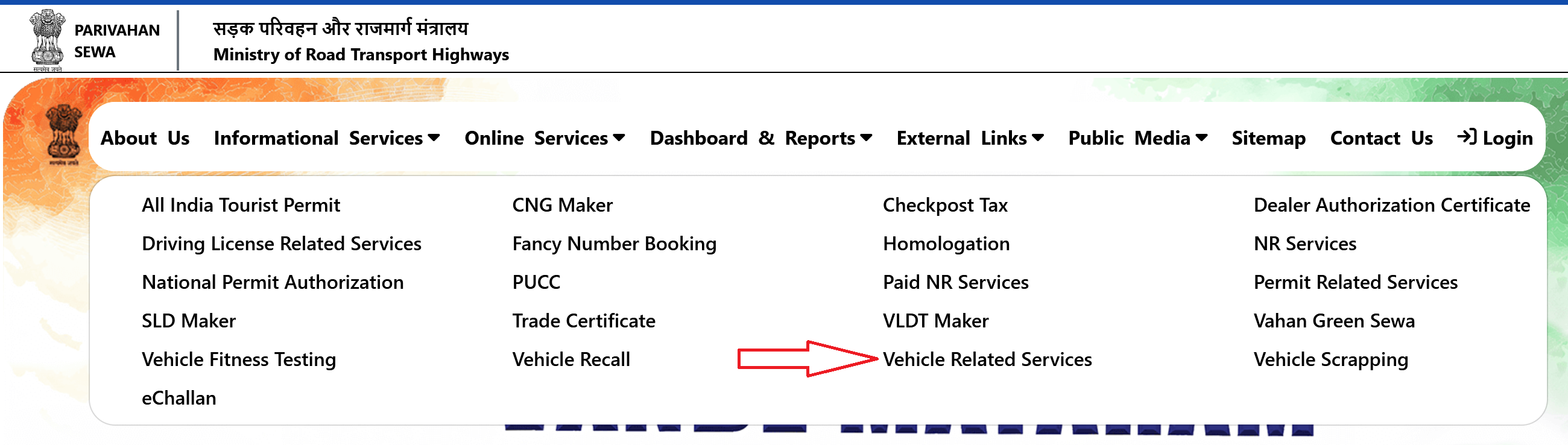
Step 1: Go to parivahan.gov.in · Step 2: Click "Online Services" → "Vehicle Related Services" · Step 3: Select Your State and RTO · Step 4: Click "RC Print" or "Form 23" · Step 5: Enter Registration and Chassis Number · Step 6: Verify With OTP · Step 7: Download or Print Your RC as PDF
What Is a Registration Certificate (RC)?
A Registration Certificate is an official document issued by the Regional Transport Office (RTO) under the Motor Vehicles Act, 1988. It proves that your vehicle, whether it's a scooter, bike, car, auto-rickshaw, bus, or truck, is registered with the government and is legally authorized to run on public roads.
What Your RC Contains:
- Registration Number (your number plate)
- Owner's Name and Address
- Vehicle Make and Model
- Engine Number
- Chassis Number (VIN)
- Fuel Type
- Vehicle Class (LMV, Two-Wheeler, HMV, etc.)
- Date of Registration
- RC Expiry Date
- Fitness Certificate Validity
Why Download Your RC?
- Lost or Damaged RC: Use a digital copy while applying for a replacement
- Buying or Selling a Vehicle: Buyers can verify ownership and registration details before making a payment
- Backup Copy: Always have access even if the physical card is lost or stolen
Method 1: Download RC from the Parivahan (Vahan) Portal
This is the most direct way to get a PDF copy of your RC. The Vahan portal is the vehicle registration database of India, managed by the National Informatics Centre (NIC) under the Ministry of Road Transport and Highways.
If that direct link doesn't work, you can reach it through the main Parivahan portal. Here's how:
- Open your browser and go to parivahan.gov.in
- Click on "Online Services" in the top navigation bar
- Select "Vehicle Related Services" from the dropdown
- Select your State from the list
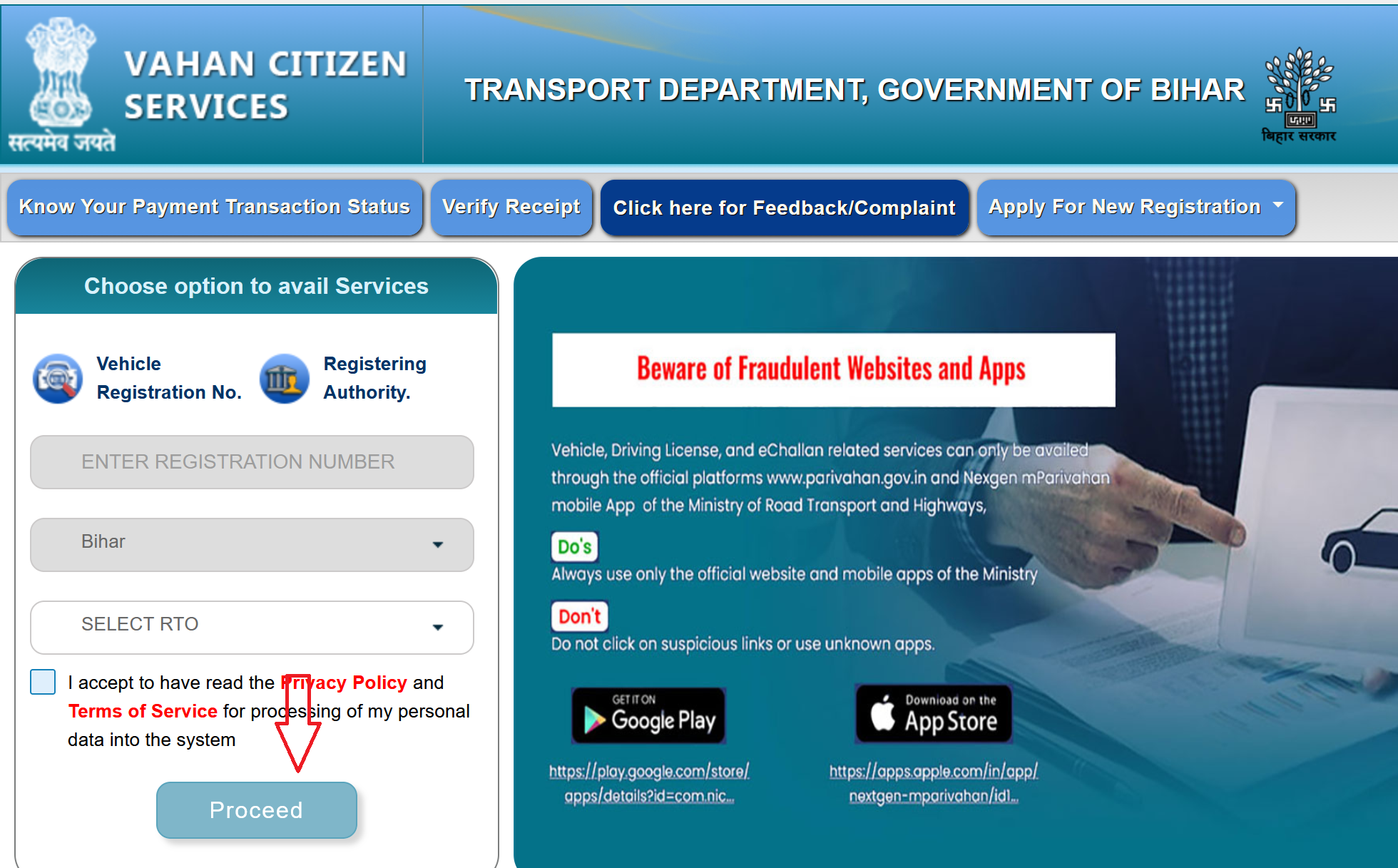
- You'll be redirected to your state's Vahan service page. Select your Registering Authority (RTO) and click "Proceed"
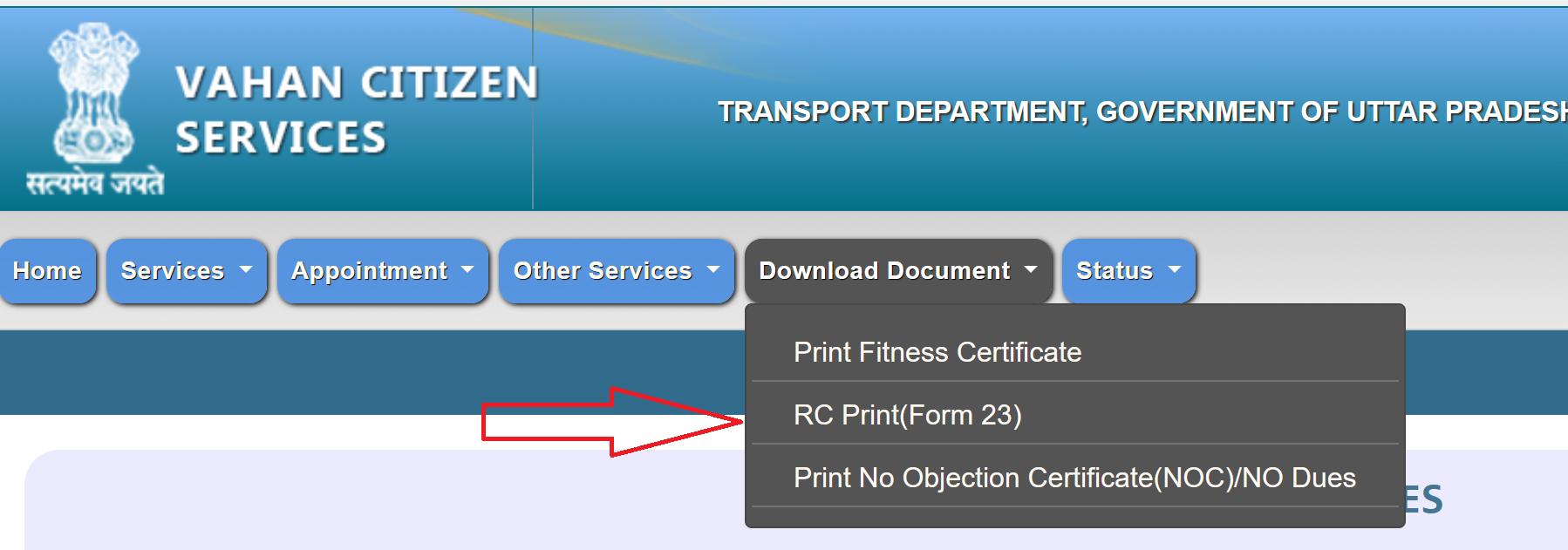
- Look for the "Download Document" or "RC Print (Form 23)" option. The exact label varies by state, but it's usually under a "Services" or "Download" section. Click on "RC Print" (sometimes labeled as "Print Registration Certificate")
- Enter your vehicle registration number and chassis number (Full). Some states also ask for the engine number. Click "Verify Details"

- An OTP will be sent to the mobile number registered with your vehicle record (the number linked to your RC). Enter the OTP and submit
- Your RC will appear on screen in PDF format. You can download it or take a printout
Method 2: View RC on the mParivahan App
The mParivahan app is designed specifically for quick access to transport documents on your phone. It's the fastest way to pull up your RC during a traffic check.
- Download the mParivahan app from Google Play Store or Apple App Store
- Open the app and register with your mobile number. Verify with OTP
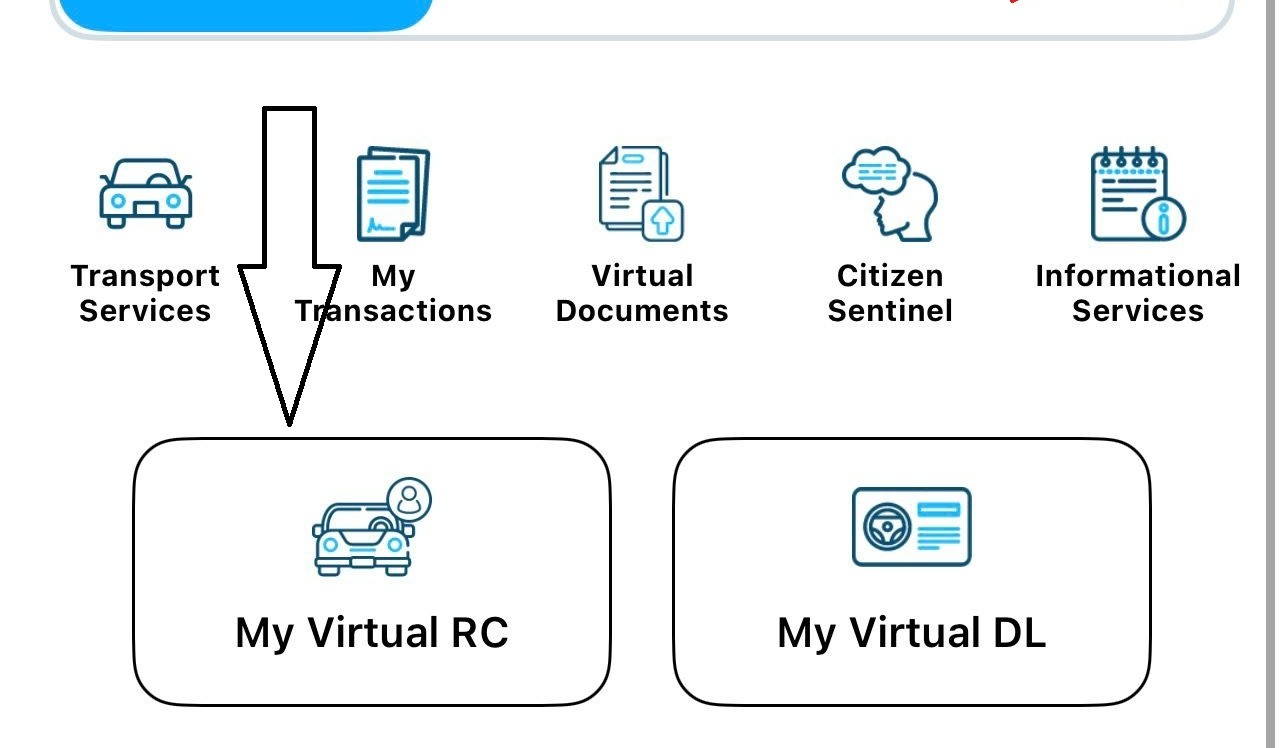
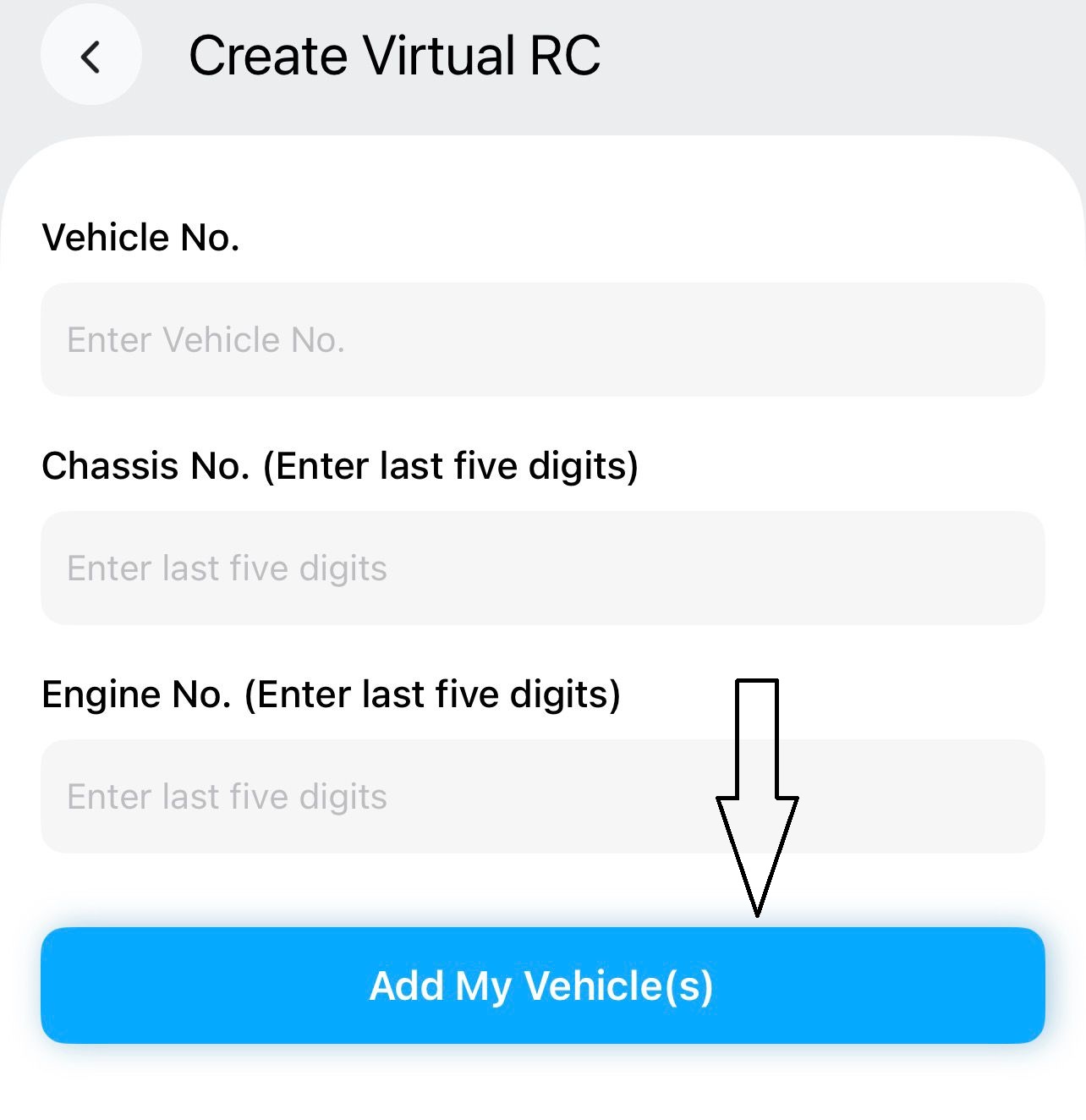
- On the home screen, go to "Virtual RC" or tap on the option to add your vehicle
- Enter your vehicle registration number and the last 5 digits of your chassis number and engine number.
- Tap on Add My Vehicle(s), The app will pull your RC details from the Vahan database and display them as a Virtual RC on your phone
Key points about mParivahan:
The Virtual RC in mParivahan is legally accepted across India. MoRTH has issued advisories confirming that digital documents shown through mParivahan are equivalent to originals.
You can add multiple vehicles to the app, useful if you own a car and a bike, or if you manage vehicles for a family or business.
mParivahan doesn't give you a downloadable PDF the way Vahan portal does. It's designed for display, not for printing. If you need a PDF copy, use the Vahan portal.
Method 3: Download RC from the DigiLocker
- Open the DigiLocker app or go to digilocker.gov.in.
- Log in with your Aadhaar-linked mobile number.
- Go to Search Documents and search for "Vehicle Registration Certificate" under the Ministry of Road Transport and Highways issuer.
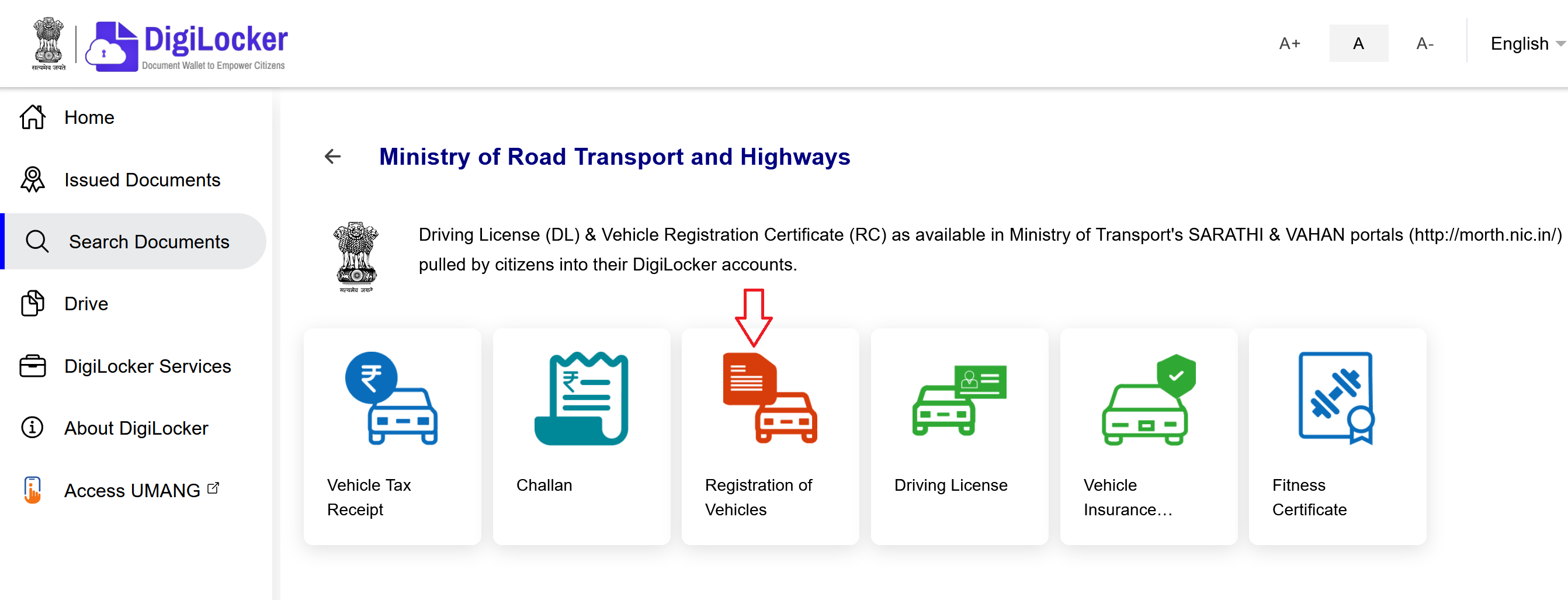
- Click on the Registration of Vehicles option, and Enter your vehicle registration number, and chassis number.
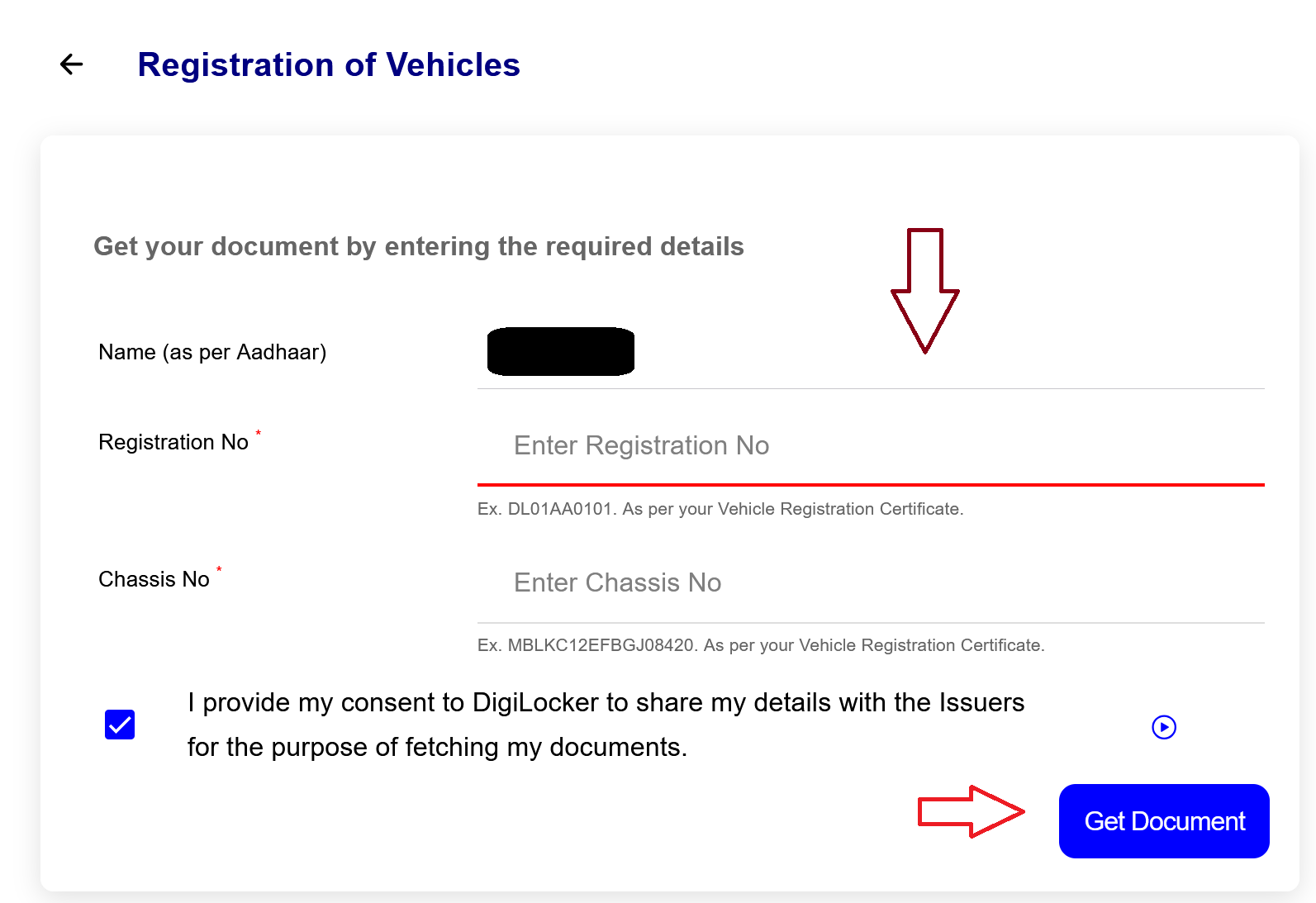
- Now, click the Get Document button.
- If your vehicle is linked to your Aadhaar or the mobile number registered with the RTO, the RC will be fetched and stored in your DigiLocker account.
- You can view, download, or share it as a PDF anytime.
DigiLocker is great because once the RC is fetched into your account, it stays there permanently. Even if the Vahan portal is down or slow, your DigiLocker copy is always accessible. It's also the cleanest way to get a proper PDF that looks official.
Check RC Status Online
If you want to check the current status of your RC, whether it's active, expired, or under some pending process, you can do this through the Parivahan portal.
Through the Parivahan Portal:
- Go to parivahan.gov.in. Click on "Online Services" and select "Vehicle Related Services".
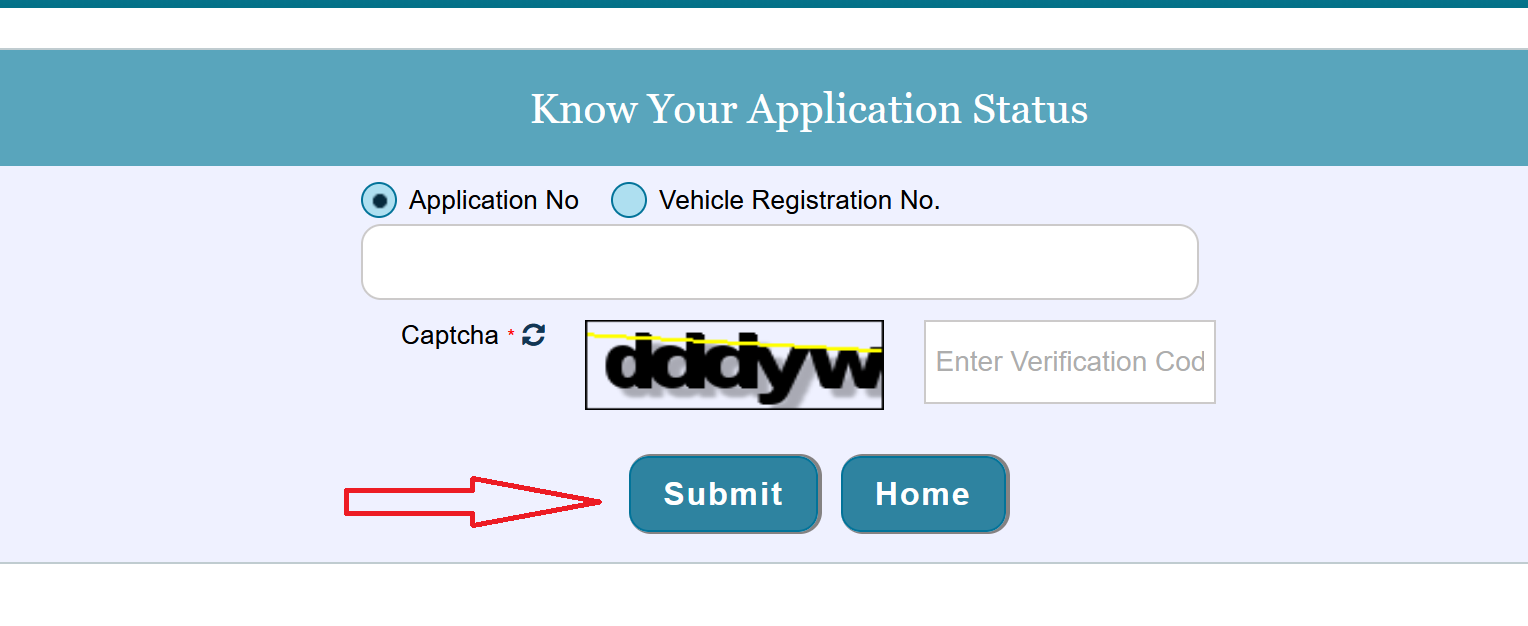
- Choose your State. Click on "Status" then "Know Your Application Sttatus".
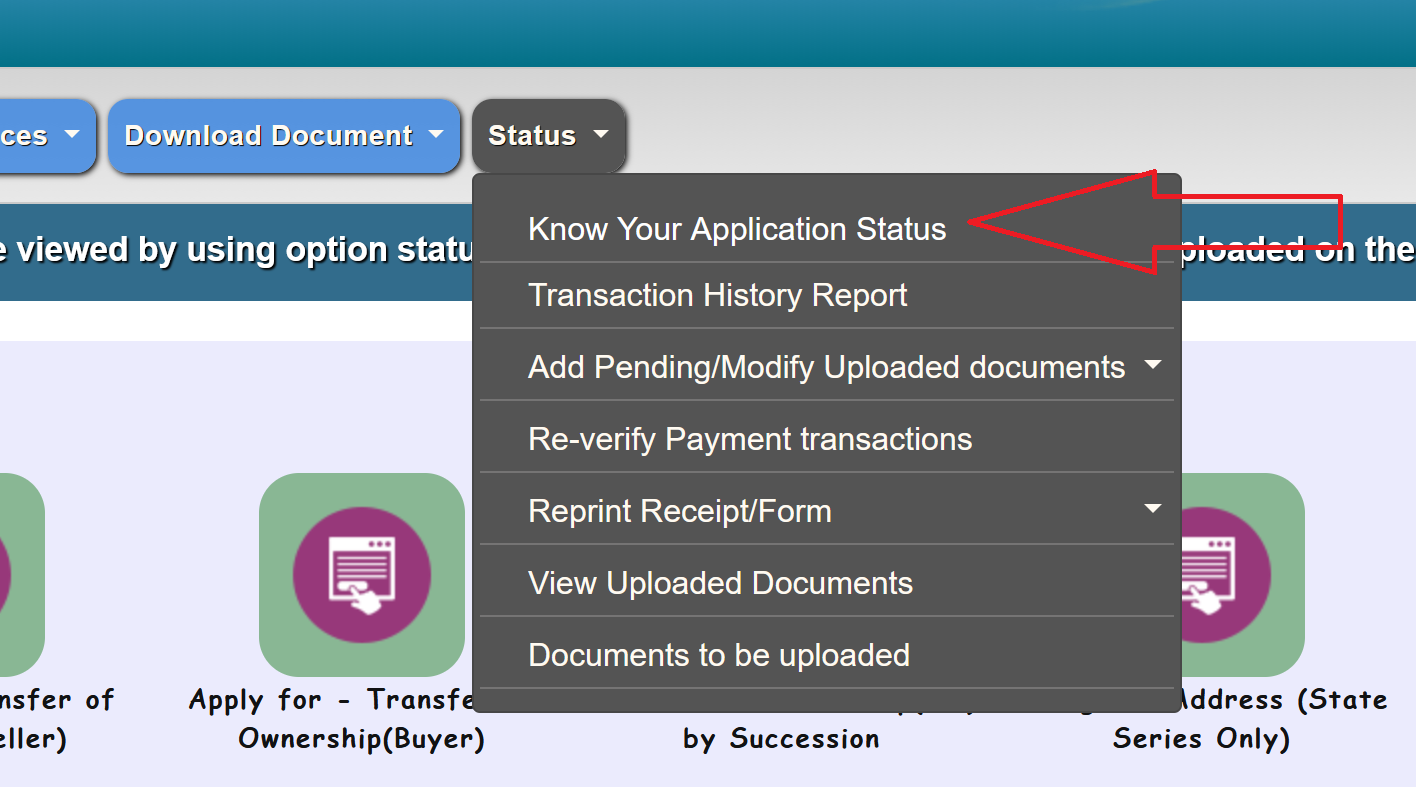
- Enter your application number or Vehicle Registration number and submit.
The system will show the current status of your RC: Active, Expired, Under Process, or any pending actions.
Through the Vahan National Register:
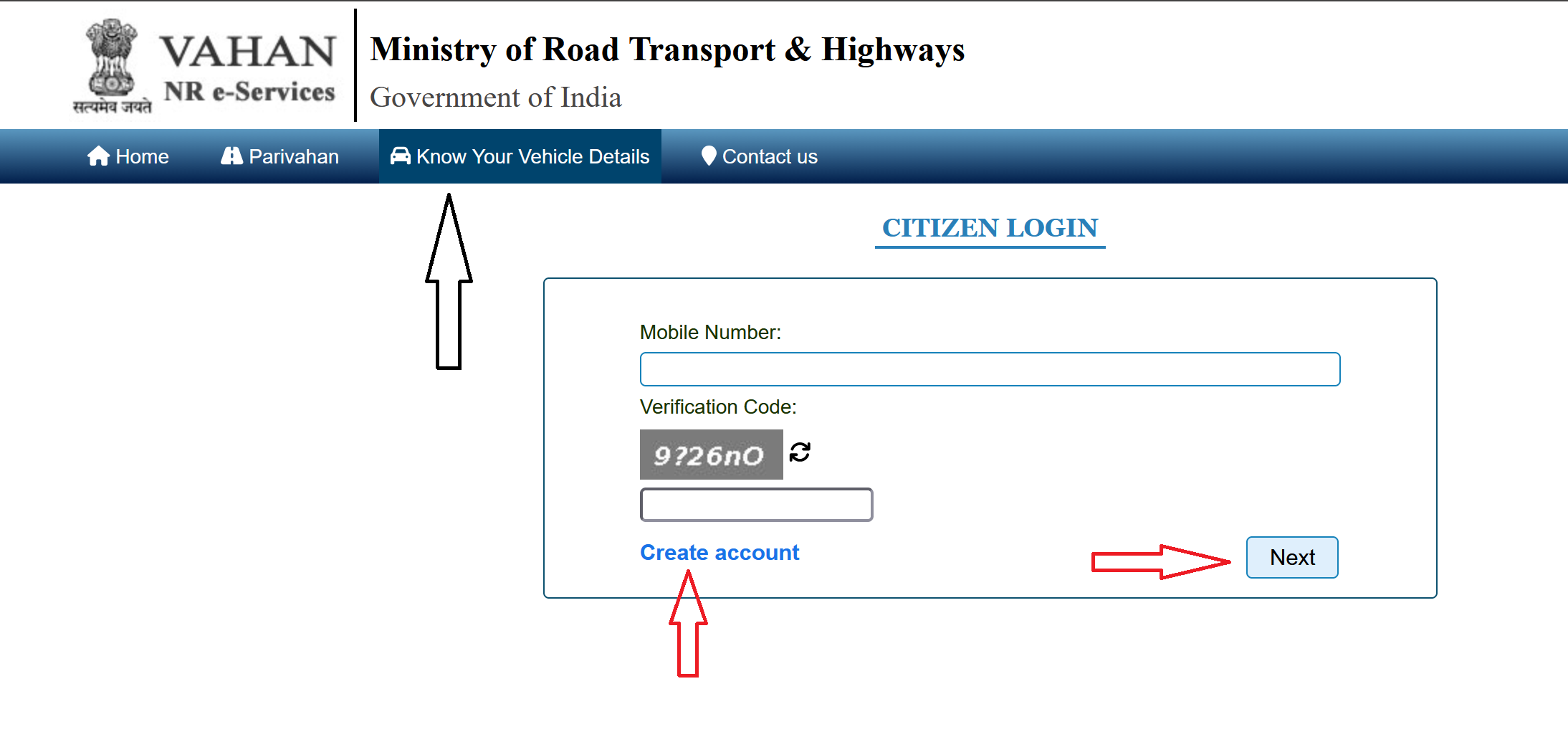
- Go to vahan.parivahan.gov.in/nrservices/.
- Click on "Know Your Vehicle Details". Log in with your mobile number (you may need to register if you haven't already). Enter your vehicle number and verification code.
- Your complete RC details will be displayed, including current status, registration validity, insurance validity, and more.
RC Download vs RC Renewal vs Duplicate RC
- RC Download means getting a digital copy of your existing, valid RC. It's just accessing what's already in the system. No fee, no documents to submit, no RTO visit needed. Your RC details remain unchanged.
- RC Renewal means extending the validity of your RC after it expires (typically after 15 years for private vehicles). This requires Form 25, a fitness test, PUC, fee payment, and sometimes a physical inspection of the vehicle. The RC gets a new validity period.
- Duplicate RC means getting a replacement for a lost, stolen, or damaged physical RC. This requires Form 26, an affidavit, documents, and a fee. A new physical smart card is issued, but the registration details remain the same.
RC Validity: When Does It Expire?
This is important to understand because an expired RC means the vehicle cannot legally be on the road.
- Private vehicles (cars, bikes, scooters): The RC is valid for 15 years from the date of first registration. After 15 years, it needs to be renewed for 5 years at a time, subject to the vehicle passing a fitness/roadworthiness test and meeting emission standards.
- Commercial vehicles (buses, trucks, taxis, autos): The RC validity is typically 5 years, with renewal required every 5 years along with a fitness certificate.
- Temporary registration: Valid for 30 days only. This is the registration you get when the vehicle is brand new and the permanent RC hasn't been issued yet. It cannot be renewed.